All templates

Deploy Sshwifty on your own server.

Sshwifty logo

Sshwifty is a web-based SSH and Telnet client that allows you to access these services directly from any standard web browser. It can be deployed on your computer or server, providing a convenient and accessible interface for SSH and Telnet connections. Sshwifty is designed to be highly configurable, allowing you to set up multiple…

Your infrastructureAutomatic HTTPSNo lock-in

Screenshots

A closer look at Sshwifty.
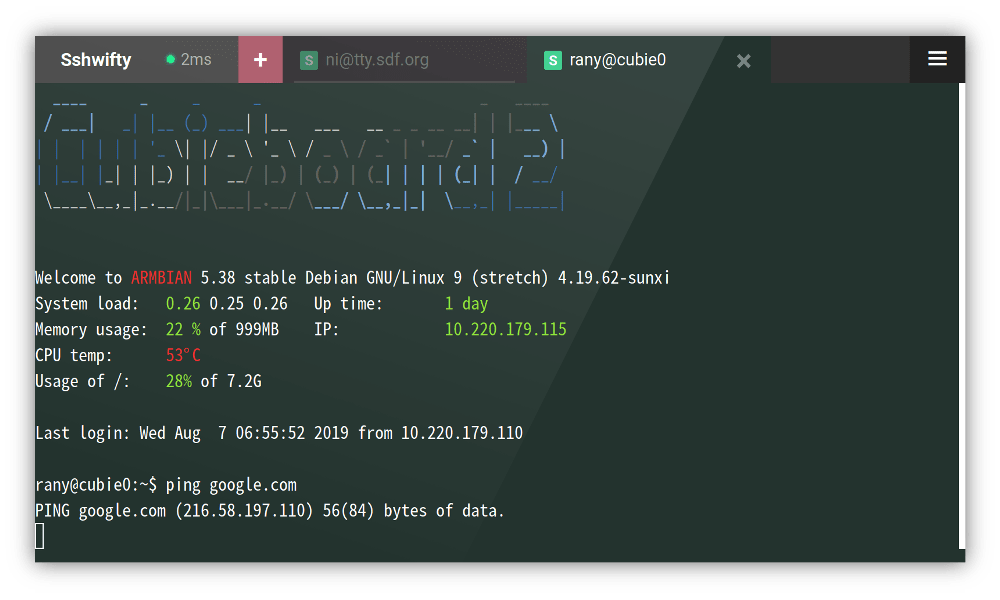
Sshwifty screenshot 1

Setup time

A few minutes

Deployment

Your own server

Services

1 connected service

Why Sshwifty

Everything you need, running where you choose.

Get the full Sshwifty experience with Easypanel handling the repetitive infrastructure work around it.

SSH and Telnet Connector
Sshwifty allows you to connect to SSH and Telnet services directly from your web browser, eliminating the need for additional software.
Predefined Remote Presets
Sshwifty allows you to define presets for known remote hosts, saving you time and effort when connecting to these hosts.
Secure Connections with TLS
Sshwifty supports TLS, ensuring that your connections are secure and your data is protected.
Flexible Configuration Options
Sshwifty can be configured through either a file or environment variables, giving you the flexibility to set up the software in a way that best suits your needs.
Web-Based SSH and Telnet Access
Sshwifty provides a web-based interface for SSH and Telnet connections, allowing you to access these services from any standard web browser.
Secure Connections
Sshwifty supports TLS, ensuring that your connections are secure and your data is protected.
How it works

From template to live app in three steps.

Easypanel turns the template into real services, storage, and domains on the server you already control.

Already have Easypanel? Open your dashboard at the URL or IP of your own installation.

Installation guide
1
Open your dashboard
Visit the URL or IP of your Easypanel installation and choose the target project.
2
Choose Sshwifty
Open Templates, select Sshwifty, then review its service names and configuration.
3
Deploy and open your app
Easypanel starts every service and provisions an HTTPS domain for you.
Installation options
The template asks for these values before creating your services.
OptionDefaultRequired

App Service Name

sshwiftyRequired

App Service Image

niruix/sshwifty:0.4.5-beta-releaseRequired
Resources
Project documentation and source code.
Latest template update
May 7, 2026

Version bumped to 0.4.5-beta-release

Questions

Deploy with confidence.

The template handles the application setup while Easypanel keeps the infrastructure understandable and under your control.

Keep exploring

Related templates

Browse all
Termix logo
Termix
Termix is a lightweight, web-based terminal emulator and SSH client that allows you to access and manage remote servers directly from your browser. It provides a modern, intuitive interface for executing commands, managing files, and administering systems without needing a traditional terminal application. Termix features session persistence, multiple connection management, customizable themes, and secure SSH connections. The web interface is responsive and works seamlessly across desktop and mobile devices, making it perfect for system administrators who need remote access on the go. All connection data is stored locally, ensuring your credentials and sessions remain private and secure.
View template
JumpServer logo
JumpServer
JumpServer is an open-source, enterprise-grade bastion host and privileged access management (PAM) solution. It provides secure access to servers, databases, and other IT resources through a web-based interface. JumpServer supports multiple authentication methods, session recording, command auditing, and fine-grained access control. It's designed to help organizations manage and monitor privileged access to critical infrastructure while maintaining security compliance and audit trails.
View template
SnapDrop logo
SnapDrop
Snapdrop is a self-hosted, browser-based file-sharing platform that allows you to seamlessly transfer files between devices on the same local network. Inspired by Apple's AirDrop, Snapdrop works across any device and browser without requiring an account or installation. It provides fast, peer-to-peer file transfers using WebRTC, ensuring privacy and efficiency. Snapdrop's lightweight design ensures minimal resource usage while offering an intuitive user interface for easy file sharing.
View template
Sshwifty logo
Ready to deploy Sshwifty?
Open your own Easypanel dashboard, choose Sshwifty from Templates, and review the deployment options.