All templates

Deploy StirlingPDF on your own server.

StirlingPDF logo

StirlingPDF is an open-source PDF management tool designed to streamline PDF handling tasks for both individual users and businesses. It enables users to create, merge, split, compress, and convert PDF documents with ease. Built to support a wide range of platforms, including Linux, Windows, and macOS, StirlingPDF ensures flexibility and…

Your infrastructureAutomatic HTTPSNo lock-in

Screenshots

A closer look at StirlingPDF.
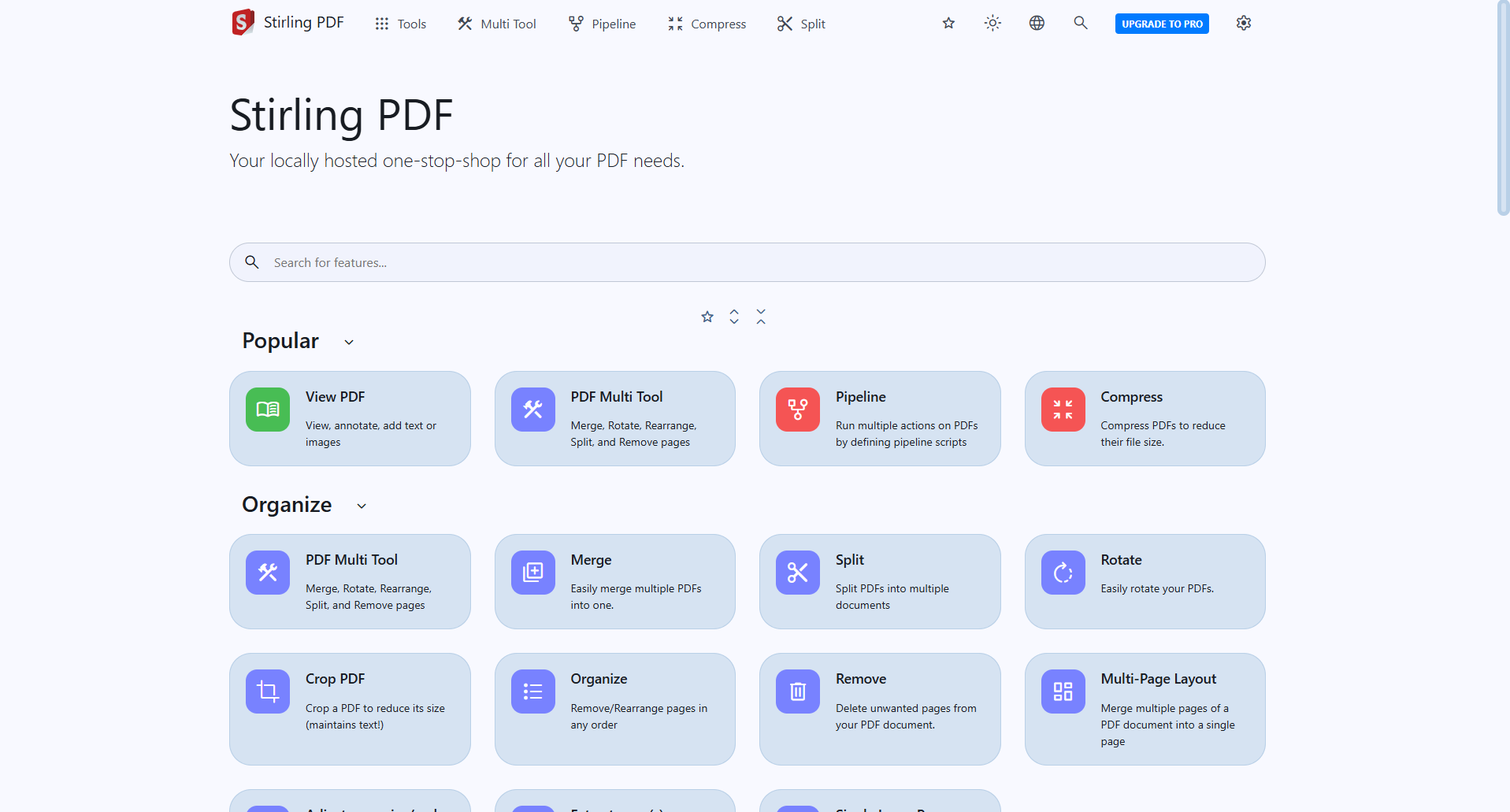
StirlingPDF screenshot 1

Setup time

A few minutes

Deployment

Your own server

Services

1 connected service

Why StirlingPDF

Everything you need, running where you choose.

Get the full StirlingPDF experience with Easypanel handling the repetitive infrastructure work around it.

Complete PDF Toolkit
StirlingPDF provides a comprehensive toolkit for all major PDF operations, from creating to compressing, to meet various document management needs.
User-Friendly Interface
StirlingPDF is built with an intuitive interface, making it accessible for users of all technical backgrounds.
Customizable Storage
StirlingPDF supports MySQL, PostgreSQL, or SQLite databases, ensuring data is stored securely and managed efficiently.
Efficient Performance
StirlingPDF is lightweight and performs operations quickly, making it suitable for handling both small and large PDF files without lag.
Server and Cloud Ready
StirlingPDF can be deployed on cloud platforms and servers, supporting high availability for enterprise-grade use.
Comprehensive PDF Management
StirlingPDF offers a suite of tools for handling PDFs, allowing users to create, merge, split, compress, and convert documents in one easy-to-use application.
How it works

From template to live app in three steps.

Easypanel turns the template into real services, storage, and domains on the server you already control.

Already have Easypanel? Open your dashboard at the URL or IP of your own installation.

Installation guide
1
Open your dashboard
Visit the URL or IP of your Easypanel installation and choose the target project.
2
Choose StirlingPDF
Open Templates, select StirlingPDF, then review its service names and configuration.
3
Deploy and open your app
Easypanel starts every service and provisions an HTTPS domain for you.
Installation options
The template asks for these values before creating your services.
OptionDefaultRequired

PDF Service Name

stirlingpdfRequired

PDF Service Image

frooodle/s-pdf:2.10.0Required
Resources
Project documentation and source code.
Latest template update
May 7, 2026

Version bumped to 2.10.0

Questions

Deploy with confidence.

The template handles the application setup while Easypanel keeps the infrastructure understandable and under your control.

Keep exploring

Related templates

Browse all
EmailEngine logo
EmailEngine
EmailEngine is a powerful email automation and integration tool designed to simplify email processing for applications. It provides a seamless interface for managing IMAP and SMTP connections, allowing applications to send, receive, and process emails efficiently. With built-in webhook support and extensive API capabilities, EmailEngine enables developers to automate email workflows and integrate email functionality effortlessly. Whether handling transactional emails or managing large-scale email operations, EmailEngine offers a reliable and feature-rich solution.
View template
Trigger logo
Trigger
Trigger.dev is a free and open-source platform that simplifies building workflows and automations directly within your codebase. It provides a powerful way to connect your application to APIs, schedule tasks, and manage real-time and delayed workflows with ease. By integrating seamlessly into your development process, Trigger.dev allows developers to focus on delivering high-value features instead of managing complex infrastructure. Its scalability and ease of use make it a great fit for modern web applications and cloud-based systems.
View template
BentoPDF logo
BentoPDF
BentoPDF is a powerful self-hosted PDF manipulation and conversion service that provides a comprehensive API for working with PDF documents. It enables developers and teams to automate PDF operations including conversion, merging, splitting, compression, watermarking, and more through a simple REST API. Built with modern technologies, BentoPDF offers a web interface for manual operations and programmatic access for integration into your applications and workflows. The service supports converting various document formats to PDF, extracting text and images, adding annotations, and manipulating PDF metadata. With no external dependencies on third-party services, BentoPDF ensures your documents remain private and secure on your own infrastructure. Perfect for document management systems, automated report generation, form processing, digital archiving, and any application that requires reliable PDF handling capabilities without the costs and privacy concerns of cloud-based PDF services.
View template
StirlingPDF logo
Ready to deploy StirlingPDF?
Open your own Easypanel dashboard, choose StirlingPDF from Templates, and review the deployment options.