All templates

Deploy SuiteCRM on your own server.

SuiteCRM logo

SuiteCRM is the world's leading Open Source CRM, designed to help you sell, market, and service smarter. This feature-rich, enterprise-ready alternative to Salesforce offers all the benefits of CRM at a significantly lower cost, with the freedom and flexibility of Open Source. With SuiteCRM, you can gain a 360-degree view of your…

Your infrastructureAutomatic HTTPSNo lock-in

Screenshots

A closer look at SuiteCRM.
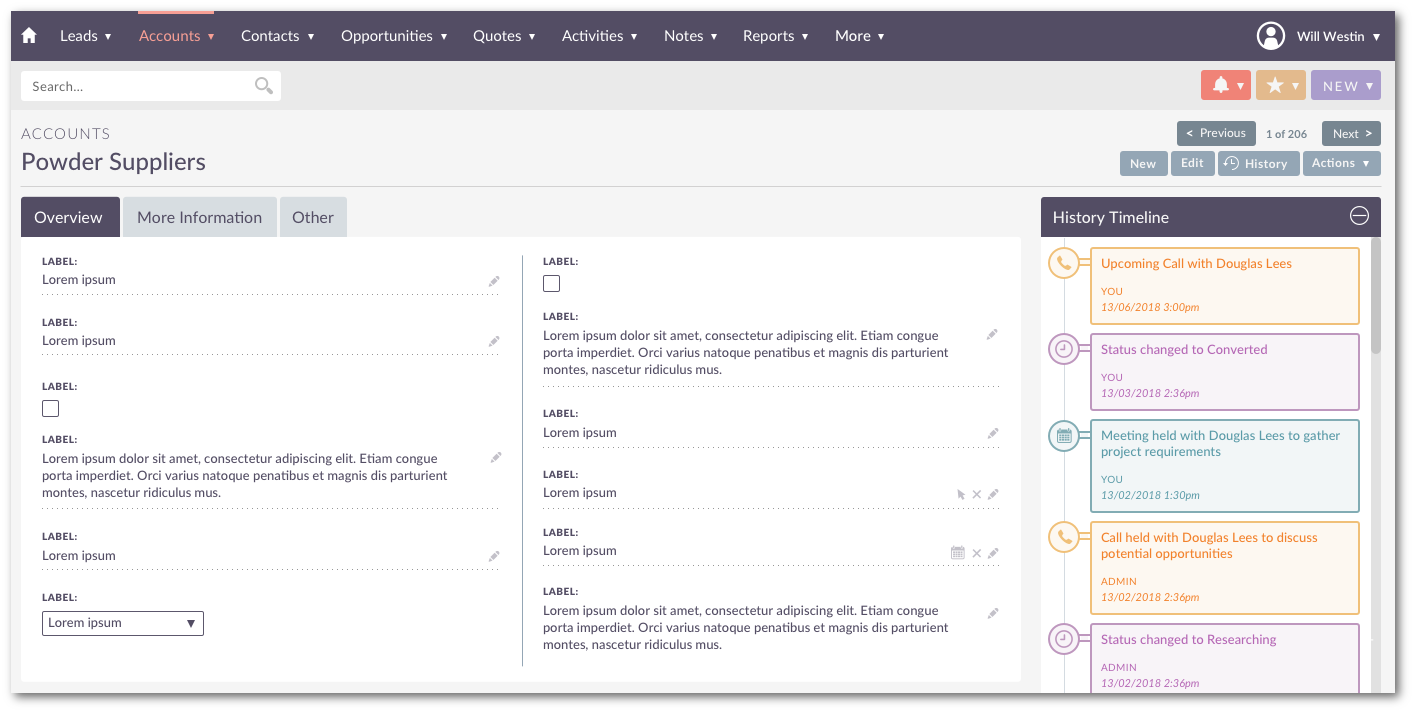
SuiteCRM screenshot 1

Setup time

A few minutes

Deployment

Your own server

Services

2 connected services

Why SuiteCRM

Everything you need, running where you choose.

Get the full SuiteCRM experience with Easypanel handling the repetitive infrastructure work around it.

360 Degree View
Know your customer by creating a central repository for all your customer data enabling you to gain key insights that can be used to enhance and nurture your business relationships.
Integration
Increase productivity across your organisation using our open REST API allowing you to integrate CRM with core business systems, enabling you to share and collaborate across any boundaries.
Powerful Reporting and Dashboards
Our powerful reporting and dashboards give you quick visibility of key metrics to support your business.
Personalised Quotations
Our Open Source CRM provides you with all the tools to capture important leads, manage your opportunities and create personalised quotations freeing up precious time to sell.
Customer Segmentation and Targeted Marketing
Automate customer segmentation, send targeted marketing content and track important activity to generate more leads and feed the funnel.
Cost-Effective CRM Solution
SuiteCRM is a feature-rich enterprise-ready alternative to Salesforce, providing all the benefits of CRM at substantially lower costs. It offers the freedoms and flexibility of Open Source, allowing you to dramatically reduce your total cost of ownership.
How it works

From template to live app in three steps.

Easypanel turns the template into real services, storage, and domains on the server you already control.

Already have Easypanel? Open your dashboard at the URL or IP of your own installation.

Installation guide
1
Open your dashboard
Visit the URL or IP of your Easypanel installation and choose the target project.
2
Choose SuiteCRM
Open Templates, select SuiteCRM, then review its service names and configuration.
3
Deploy and open your app
Easypanel starts every service and provisions an HTTPS domain for you.
Installation options
The template asks for these values before creating your services.
OptionDefaultRequired

Username

adminOptional

Password

Set during installOptional

Email

[email protected]Optional

App Service Name

suitecrmRequired

App Service Image

bitnamilegacy/suitecrm:8.8.1-debian-12-r3Required

Database Service Name

suitecrm-dbRequired
Resources
Project documentation and source code.
Latest template update
May 7, 2026

Version bumped to 8.8.1-debian-12-r3

Questions

Deploy with confidence.

The template handles the application setup while Easypanel keeps the infrastructure understandable and under your control.

Keep exploring

Related templates

Browse all
Dolibarr logo
Dolibarr
Dolibarr ERP/CRM is an open-source platform designed for small to medium-sized enterprises (SMEs) to manage business operations seamlessly. It offers a comprehensive suite of tools for managing customers, invoices, orders, products, projects, and more. With its modular architecture and user-friendly interface, Dolibarr provides flexibility and scalability for businesses looking for an efficient and customizable ERP/CRM solution.
View template
Twenty CRM logo
Twenty CRM
Twenty is a modern, open-source CRM platform designed to help businesses manage their customer relationships efficiently. It offers a user-friendly interface for tracking contacts, organizations, and opportunities while providing powerful customization options.
View template
Frappe Helpdesk logo
Frappe Helpdesk
Frappe Helpdesk is a comprehensive customer support and ticketing system built on the Frappe framework. It provides a complete solution for managing customer inquiries, support tickets, and service requests. The platform offers multi-channel support, automated workflows, knowledge base integration, and detailed analytics to help teams deliver exceptional customer service. Frappe Helpdesk features a modern, responsive interface that works seamlessly across desktop and mobile devices, making it easy for support agents to manage tickets and for customers to submit and track their requests. The system supports team collaboration, SLA management, and integration with various communication channels including email, chat, and social media platforms.
View template
SuiteCRM logo
Ready to deploy SuiteCRM?
Open your own Easypanel dashboard, choose SuiteCRM from Templates, and review the deployment options.