Deploy Thrifty on your own server.

Thrifty logo

Thrifty is a simple self-hosted budgeting and expense tracker for households. Track spending across multiple users without accounts or passwords — the app itself has no login system of any kind, so this template puts a Caddy proxy in front of the UI and API and protects it with HTTP Basic Auth instead.

Your infrastructureAutomatic HTTPSNo lock-in

Screenshots

A closer look at Thrifty.

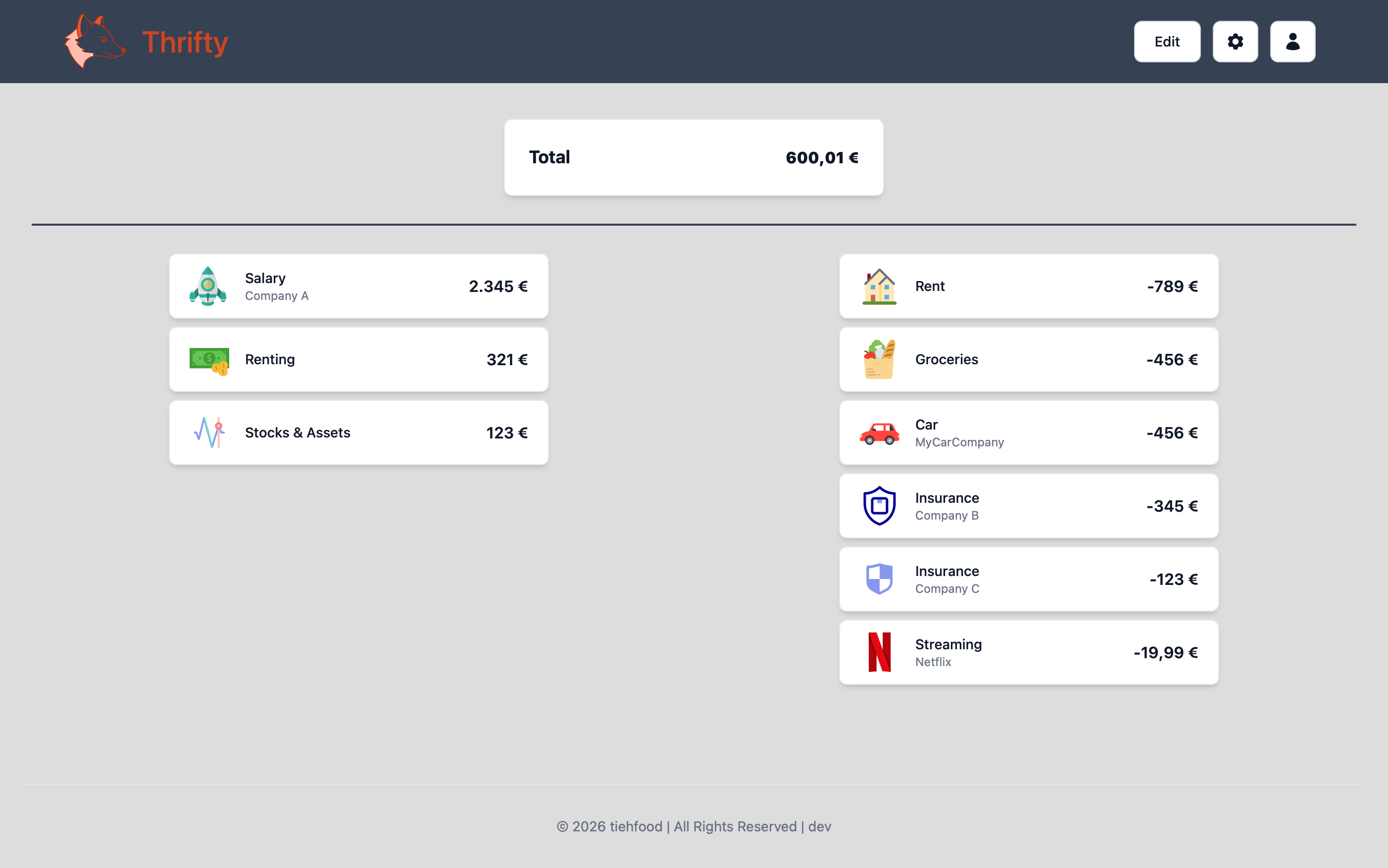
Thrifty screenshot 1

Setup time

A few minutes

Deployment

Your own server

Services

3 connected services

Why Thrifty

Everything you need, running where you choose.

Get the full Thrifty experience with Easypanel handling the repetitive infrastructure work around it.

Multi-User Support
Track expenses per household member while keeping everything in one shared budget.
Configurable Currency
Display amounts in your household's own currency.
Swagger API Docs
The API ships with interactive Swagger documentation at /swagger/index.html for anyone who wants to script against it.
No Accounts, No Passwords
Add household members as simple named users with no login of their own, so tracking shared spending doesn't mean managing credentials for everyone.
Lightweight, No External Database
Runs on SQLite with nothing else to provision, so it stays cheap to host for a household budget tracker.
Multi-User Household Tracking
See who spent what across the household in one shared view instead of juggling separate spreadsheets.
How it works

From template to live app in three steps.

Easypanel turns the template into real services, storage, and domains on the server you already control.

Already have Easypanel? Open your dashboard at the URL or IP of your own installation.

Installation guide
1
Open your dashboard
Visit the URL or IP of your Easypanel installation and choose the target project.
2
Choose Thrifty
Open Templates, select Thrifty, then review its service names and configuration.
3
Deploy and open your app
Easypanel starts every service and provisions an HTTPS domain for you.
Installation options
The template asks for these values before creating your services.
OptionDefaultRequired

App Service Name

thriftyRequired

UI Service Image

tiehfood/thrifty-ui:1.12.1Required

API Service Image

tiehfood/thrifty-api:1.12.1Required

Currency

Euro / US Dollar / British Pound / Canadian Dollar / Australian DollarRequired
Resources
Project documentation and source code.
Latest template update
Jul 21, 2026

first release

Questions

Deploy with confidence.

The template handles the application setup while Easypanel keeps the infrastructure understandable and under your control.

Thrifty logo
Ready to deploy Thrifty?
Open your own Easypanel dashboard, choose Thrifty from Templates, and review the deployment options.