Deploy Trailarr on your own server.

Trailarr logo

Trailarr is a self-hosted application to automatically download and manage trailers for your media libraries. It integrates with Radarr and Sonarr to discover your movie and TV collections, detects existing trailers to skip duplicates, and saves new trailers next to your media using Plex-compatible naming conventions that also work with…

Your infrastructureAutomatic HTTPSNo lock-in

Screenshots

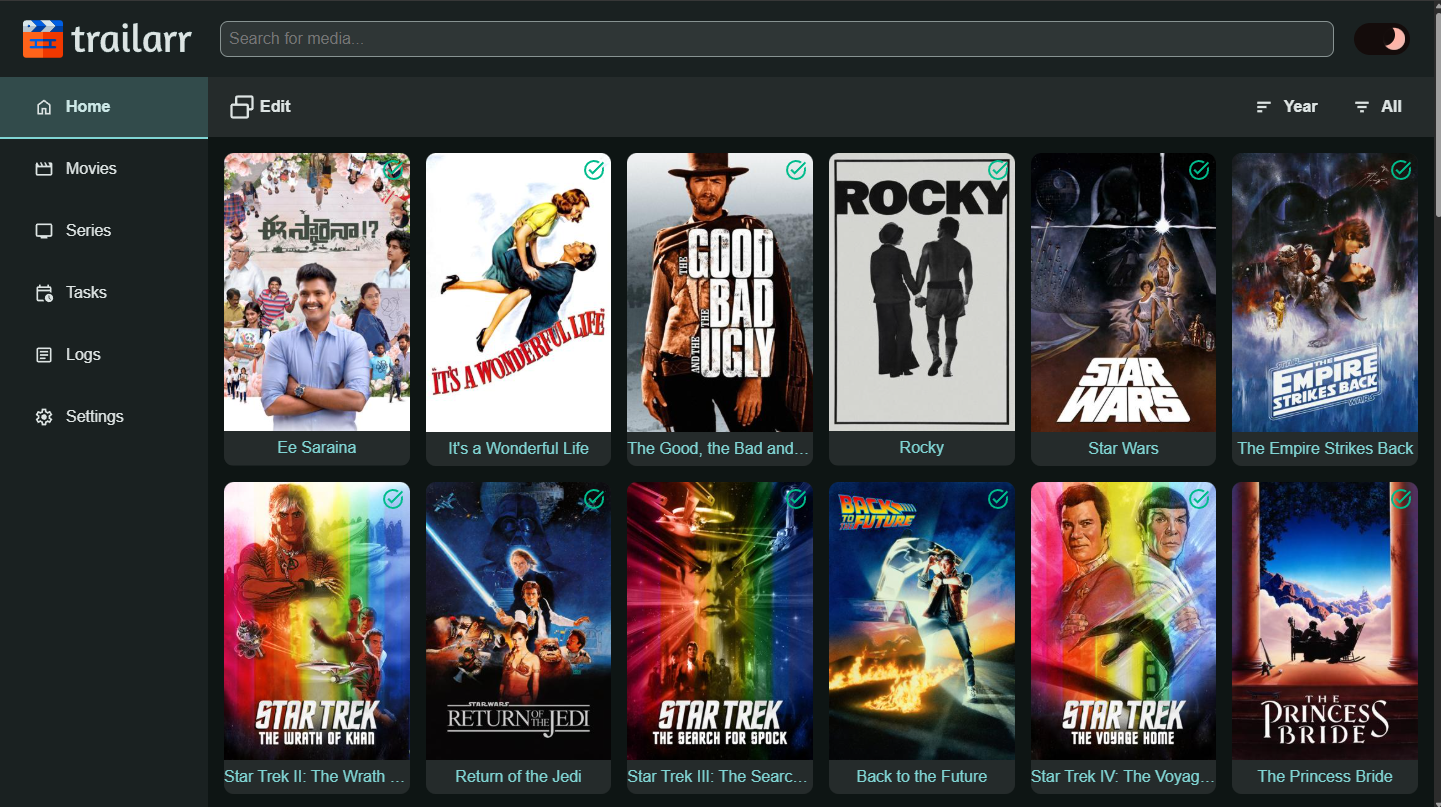
A closer look at Trailarr.
Trailarr screenshot 1

Setup time

A few minutes

Deployment

Your own server

Services

1 connected service

Why Trailarr

Everything you need, running where you choose.

Get the full Trailarr experience with Easypanel handling the repetitive infrastructure work around it.

Multi-Instance Support
Connect multiple Radarr, Sonarr, and Plex instances to manage trailers across separate servers or libraries from a single Trailarr deployment.
Custom Quality Profiles
Create profiles to control trailer resolution, format, codec, and other processing options so every trailer meets your storage and quality requirements.
Web UI Library Browser
Browse your entire movie and series library through a responsive web interface, view trailer status for each item, and trigger downloads or manage trailers manually.
yt-dlp and FFmpeg Integration
Trailarr uses yt-dlp to download trailers from video hosting sites and FFmpeg for post-processing, giving you broad source support and flexible output options.
Automatic Trailer Downloads
Trailarr connects to your Radarr and Sonarr instances and automatically downloads trailers for every movie and series in your collection, keeping your media library enriched without manual effort.
Duplicate Detection
Before downloading, Trailarr checks whether a trailer already exists and skips it, saving bandwidth and avoiding cluttered media folders.
How it works

From template to live app in three steps.

Easypanel turns the template into real services, storage, and domains on the server you already control.

Already have Easypanel? Open your dashboard at the URL or IP of your own installation.

Installation guide
1
Open your dashboard
Visit the URL or IP of your Easypanel installation and choose the target project.
2
Choose Trailarr
Open Templates, select Trailarr, then review its service names and configuration.
3
Deploy and open your app
Easypanel starts every service and provisions an HTTPS domain for you.
Installation options
The template asks for these values before creating your services.
OptionDefaultRequired

App Service Name

trailarrRequired

App Service Image

nandyalu/trailarr:0.9.8Required

Timezone

America/New_YorkRequired
Resources
Project documentation and source code.
Latest template update
Jun 29, 2026

first release

Questions

Deploy with confidence.

The template handles the application setup while Easypanel keeps the infrastructure understandable and under your control.

Keep exploring

Related templates

Browse all
SuggestArr logo
SuggestArr
SuggestArr is a self-hosted media automation tool that monitors recently watched content from Jellyfin, Plex, or Emby, discovers similar movies and TV shows via the TMDb API, and automatically submits download requests to Jellyseerr or Overseerr. It runs on a configurable cron schedule, supports AI-powered recommendations through any OpenAI-compatible LLM (Ollama, OpenRouter, etc.), and provides a web UI for managing services, schedules, users, and real-time logs. All data is persisted to a single SQLite database stored in the config volume — no external database is required.
View template
Cleanuparr logo
Cleanuparr
Cleanuparr is an advanced automated download manager for the Servarr ecosystem (Sonarr, Radarr, Lidarr, Readarr, Whisparr). It monitors and cleans up problematic downloads across qBittorrent, Transmission, Deluge, µTorrent, and rTorrent clients. Core features include a strike-based system for failed imports, stalled and slow downloads; automatic blocklist-based malware file detection and removal; auto-triggered replacement searches when downloads are removed; seeding duration and ratio cleanup; orphaned file detection with hardlink checking; proactive missing-content and quality-upgrade searching; and smart notifications for all events. All configuration and state are stored in a single /config volume — no external database is required.
View template
ReadMeABook logo
ReadMeABook
ReadMeABook is a self-hosted audiobook request and automation platform—like Radarr/Sonarr + Overseerr for audiobooks. Integrates with Plex or Audiobookshelf, supports torrents (qBittorrent) and Usenet (SABnzbd), Prowlarr for search. Features multi-file chapter merging, e-book sidecars, AI recommendations (BookDate), and admin approval workflows. Includes PostgreSQL and Redis.
View template
Trailarr logo
Ready to deploy Trailarr?
Open your own Easypanel dashboard, choose Trailarr from Templates, and review the deployment options.