All templates

Deploy Typebot on your own server.

Typebot logo

Typebot is an innovative app designed to revolutionize the way you collect information. It allows you to build advanced chatbots visually, using powerful blocks to create unique chat experiences. You can embed these chatbots anywhere on your web or mobile apps and start collecting results instantly. Typebot is designed to replace your…

Your infrastructureAutomatic HTTPSNo lock-in

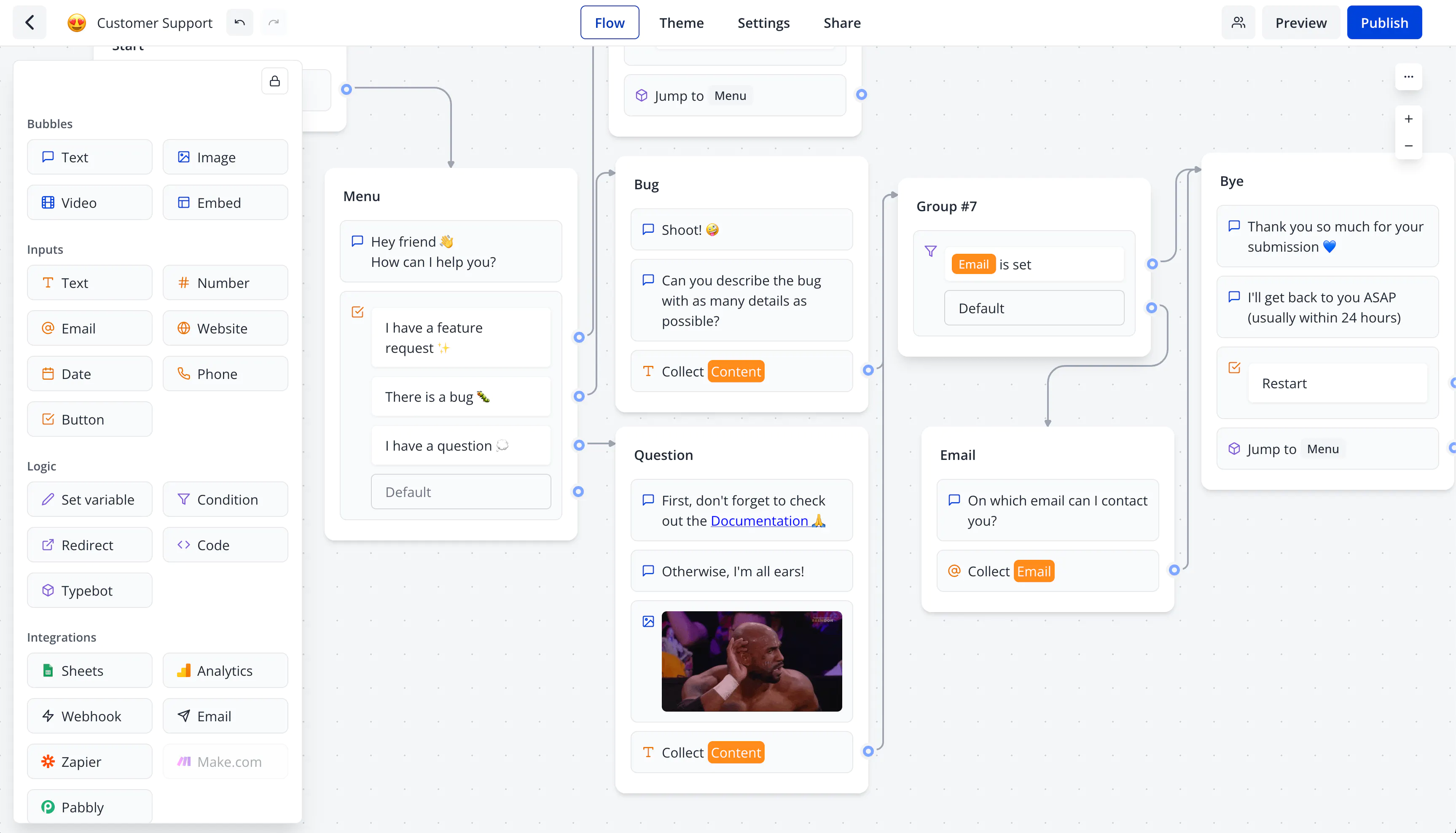
Screenshots

A closer look at Typebot.

Typebot screenshot 1

Setup time

A few minutes

Deployment

Your own server

Services

4 connected services

Why Typebot

Everything you need, running where you choose.

Get the full Typebot experience with Easypanel handling the repetitive infrastructure work around it.

Easy building experience
All you have to do is drag and drop blocks to create your app. Even if you have custom needs, you can always add custom code.
Embed it in a click
Embedding your typebot in your applications is a walk in the park. Typebot gives you several step-by-step platform-specific instructions. Your typebot will always feel 'native'.
Integrate with any platform
Typebot offers several native integrations blocks as well as instructions on how to embed typebot on particular platforms.
Collect results in real-time
One of the main advantages of a chat application is that you collect the user's responses on each question. You won't lose any valuable data.
And many more features
Typebot makes form building easy and comes with powerful features like hidden fields, team collaboration, link to sub typebots, custom code, custom domain, and folder management.
OAuth Authentication
Support for multiple OAuth providers including GitHub and Google for secure user authentication and easy login management.
How it works

From template to live app in three steps.

Easypanel turns the template into real services, storage, and domains on the server you already control.

Already have Easypanel? Open your dashboard at the URL or IP of your own installation.

Installation guide
1
Open your dashboard
Visit the URL or IP of your Easypanel installation and choose the target project.
2
Choose Typebot
Open Templates, select Typebot, then review its service names and configuration.
3
Deploy and open your app
Easypanel starts every service and provisions an HTTPS domain for you.
Installation options
The template asks for these values before creating your services.
OptionDefaultRequired

App Service Name

typebotRequired

Builder Service Image

baptistearno/typebot-builder:3.15.2Required

Viewer Service Image

baptistearno/typebot-viewer:3.15.2Required

Admin Email

Email address for the administrator account

[email protected]Required

GitHub Client ID (Optional)

GitHub OAuth App Client ID for authentication

Optional

GitHub Client Secret (Optional)

GitHub OAuth App Client Secret for authentication

Set during installOptional

Google OAuth Client ID (Optional)

Google OAuth Client ID for authentication

Optional

Google OAuth Client Secret (Optional)

Google OAuth Client Secret for authentication

Set during installOptional
Resources
Project documentation and source code.
Latest template update
Feb 24, 2026

Version bumped to 3.15.2

Questions

Deploy with confidence.

The template handles the application setup while Easypanel keeps the infrastructure understandable and under your control.

Keep exploring

Related templates

Browse all
Chatwoot logo
Chatwoot
Chatwoot is a new age multi-channel customer experience platform designed for businesses of all sizes. It serves as an open-source customer engagement suite, providing an alternative to platforms like Intercom, Zendesk, and Salesforce Service Cloud. With Chatwoot, you can manage your agents' workload, track their performance through auto-updating reports, and work smarter with automations. The app allows you to perform key actions on multiple conversations at once and provides super quick responses to customer conversations, making your agents super productive. It also offers features to manage your email, Facebook, Instagram, Line, SMS, Telegram, and Twitter customer interactions directly from the platform. Additionally, Chatwoot provides detailed insights into your conversations and allows you to measure and track your CSAT score on autopilot.
View template
Rocket.Chat logo
Rocket.Chat
Rocket.Chat SIX is a secure and scalable collaboration platform designed to enhance team productivity and customer service experiences. It allows you to own your data and offers extensive customization and integration options. The platform brings together messages, projects, and tasks into one place, enabling teams to work more efficiently. It also provides an omnichannel customer service experience, allowing businesses to engage in contextual interactions with customers, fostering long-term relationships and improved business outcomes. Additionally, Rocket.Chat SIX features a chat engine to drive higher user engagement within your app or website. The platform is built for teams that need more control, offering end-to-end encryption, compliance with various data protection regulations, and a wide range of deployment options to meet your security needs.
View template
Frappe Helpdesk logo
Frappe Helpdesk
Frappe Helpdesk is a comprehensive customer support and ticketing system built on the Frappe framework. It provides a complete solution for managing customer inquiries, support tickets, and service requests. The platform offers multi-channel support, automated workflows, knowledge base integration, and detailed analytics to help teams deliver exceptional customer service. Frappe Helpdesk features a modern, responsive interface that works seamlessly across desktop and mobile devices, making it easy for support agents to manage tickets and for customers to submit and track their requests. The system supports team collaboration, SLA management, and integration with various communication channels including email, chat, and social media platforms.
View template
Typebot logo
Ready to deploy Typebot?
Open your own Easypanel dashboard, choose Typebot from Templates, and review the deployment options.