All templates

Deploy Viseron on your own server.

Viseron logo

Viseron is a self-hosted, local network video recorder (NVR) and AI-powered video surveillance system designed for privacy-conscious users. It supports multiple camera streams with advanced features like object detection, motion detection, face recognition, and license plate recognition using machine learning models. Viseron can record…

Your infrastructureAutomatic HTTPSNo lock-in

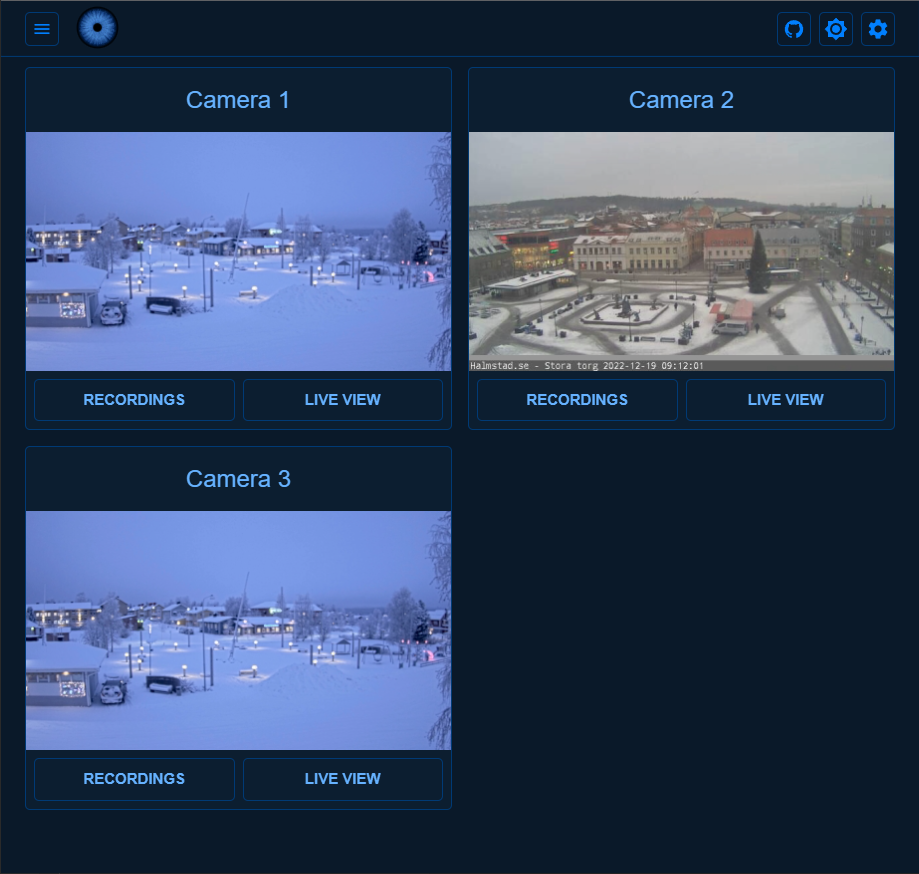
Screenshots

A closer look at Viseron.

Viseron screenshot 1

Setup time

A few minutes

Deployment

Your own server

Services

1 connected service

Why Viseron

Everything you need, running where you choose.

Get the full Viseron experience with Easypanel handling the repetitive infrastructure work around it.

Multi-Camera Support
Monitor multiple camera streams simultaneously with support for RTSP, HTTP, and USB cameras. Configure each camera independently.
Object & Motion Detection
Intelligent object detection with customizable zones and filters. Detect people, vehicles, animals, and more with high accuracy.
Event Recording & Clips
Automatically record event-based clips when motion or objects are detected. Configure pre and post-recording buffers for complete context.
Timelapse & Continuous Recording
Create beautiful timelapses and maintain continuous recording segments for comprehensive surveillance coverage.
Real-Time Notifications
Receive instant notifications with snapshots and thumbnails when events are detected via multiple notification channels.
Web Interface
Modern, responsive web interface for live viewing, playback, event browsing, and system configuration accessible from any device.
How it works

From template to live app in three steps.

Easypanel turns the template into real services, storage, and domains on the server you already control.

Already have Easypanel? Open your dashboard at the URL or IP of your own installation.

Installation guide
1
Open your dashboard
Visit the URL or IP of your Easypanel installation and choose the target project.
2
Choose Viseron
Open Templates, select Viseron, then review its service names and configuration.
3
Deploy and open your app
Easypanel starts every service and provisions an HTTPS domain for you.
Installation options
The template asks for these values before creating your services.
OptionDefaultRequired

App Service Name

viseronRequired

App Service Image

roflcoopter/viseron:3.5.3Required
Resources
Project documentation and source code.
Latest template update
May 7, 2026

Version bumped to 3.5.3

Questions

Deploy with confidence.

The template handles the application setup while Easypanel keeps the infrastructure understandable and under your control.

Viseron logo
Ready to deploy Viseron?
Open your own Easypanel dashboard, choose Viseron from Templates, and review the deployment options.