Deploy Workout Tracker on your own server.

Workout Tracker logo

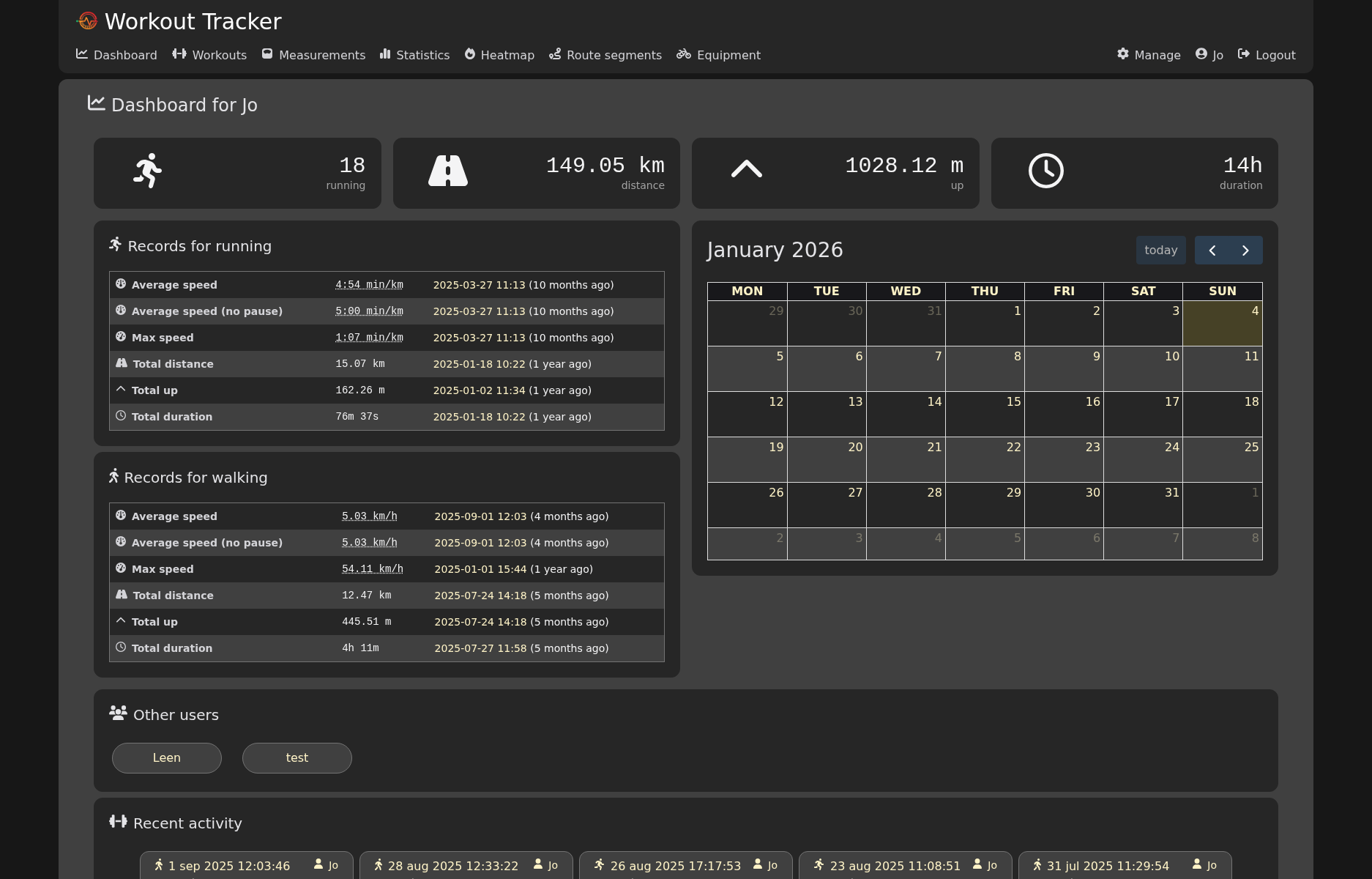
Workout Tracker is a self-hosted fitness tracking app geared towards running and other GPX-based activities. Upload workouts, view them on a map with route segments and elevation, track statistics and personal records, and keep a heatmap of everywhere you've been.

Your infrastructureAutomatic HTTPSNo lock-in

Screenshots

A closer look at Workout Tracker.
Workout Tracker screenshot 1

Setup time

A few minutes

Deployment

Your own server

Services

3 connected services

Why Workout Tracker

Everything you need, running where you choose.

Get the full Workout Tracker experience with Easypanel handling the repetitive infrastructure work around it.

Statistics & Records
Automatic personal records for pace, distance, elevation, and duration per activity type.
Equipment Tracking
Track gear like shoes or bikes and their accumulated distance.
Localized UI
Interface available in multiple languages.
GPX, TCX & FIT Import
Upload workouts directly, or sync automatically from Strava and other services.
Maps & Heatmaps
Every workout is plotted on a map with elevation and route segments, plus a lifetime heatmap of all your activity.
Multi-User
Invite family or friends — each user gets their own workouts, stats, and records.
How it works

From template to live app in three steps.

Easypanel turns the template into real services, storage, and domains on the server you already control.

Already have Easypanel? Open your dashboard at the URL or IP of your own installation.

Installation guide
1
Open your dashboard
Visit the URL or IP of your Easypanel installation and choose the target project.
2
Choose Workout Tracker
Open Templates, select Workout Tracker, then review its service names and configuration.
3
Deploy and open your app
Easypanel starts every service and provisions an HTTPS domain for you.
Installation options
The template asks for these values before creating your services.
OptionDefaultRequired

App Service Name

workout-trackerRequired

Workout Tracker Version

2.9.0Required

Disable New Registrations

falseOptional
Resources
Project documentation and source code.
Latest template update
Aug 31, 2026

first release

Questions

Deploy with confidence.

The template handles the application setup while Easypanel keeps the infrastructure understandable and under your control.

Keep exploring

Related templates

Browse all
GHStats logo
GHStats
GHStats is a self-hosted GitHub statistics and analytics tool that helps you track and visualize your GitHub repository metrics. Monitor stars, traffic, clones, views, and other important repository statistics over time with an intuitive web interface. The application collects and stores historical data from your GitHub repositories, allowing you to analyze trends and growth patterns that would otherwise be lost after GitHub's 14-day statistics retention period. Perfect for developers, project maintainers, and organizations who want to maintain long-term analytics of their GitHub presence. GHStats requires a GitHub personal access token to fetch repository statistics and stores all collected data persistently for historical analysis and visualization.
View template
SparkyFitness logo
SparkyFitness
SparkyFitness is a self-hosted, privacy-first alternative to MyFitnessPal. Track nutrition, exercise, hydration, and body metrics while keeping full control of your data. Built for families with AI-powered features, SparkyFitness offers comprehensive health tracking with integrations for Apple Health, Google Health Connect, Fitbit, Garmin Connect, and Withings. Features include goal setting, interactive charts, long-term reports, and optional AI chatbot for conversational data logging.
View template
Speedtest Tracker logo
Speedtest Tracker
Speedtest Tracker is a self-hosted internet performance tracking application that runs speedtests and displays the results in a clean web interface. It automatically runs periodic speed tests using various providers like Ookla Speedtest, and stores historical data to track your internet connection performance over time. Perfect for monitoring ISP performance, network troubleshooting, and keeping records of internet speed changes.
View template
Workout Tracker logo
Ready to deploy Workout Tracker?
Open your own Easypanel dashboard, choose Workout Tracker from Templates, and review the deployment options.