Deploy SparkyFitness on your own server.

SparkyFitness is a self-hosted, privacy-first alternative to MyFitnessPal. Track nutrition, exercise, hydration, and body metrics while keeping full control of your data. Built for families with AI-powered features, SparkyFitness offers comprehensive health tracking with integrations for Apple Health, Google Health Connect, Fitbit,…
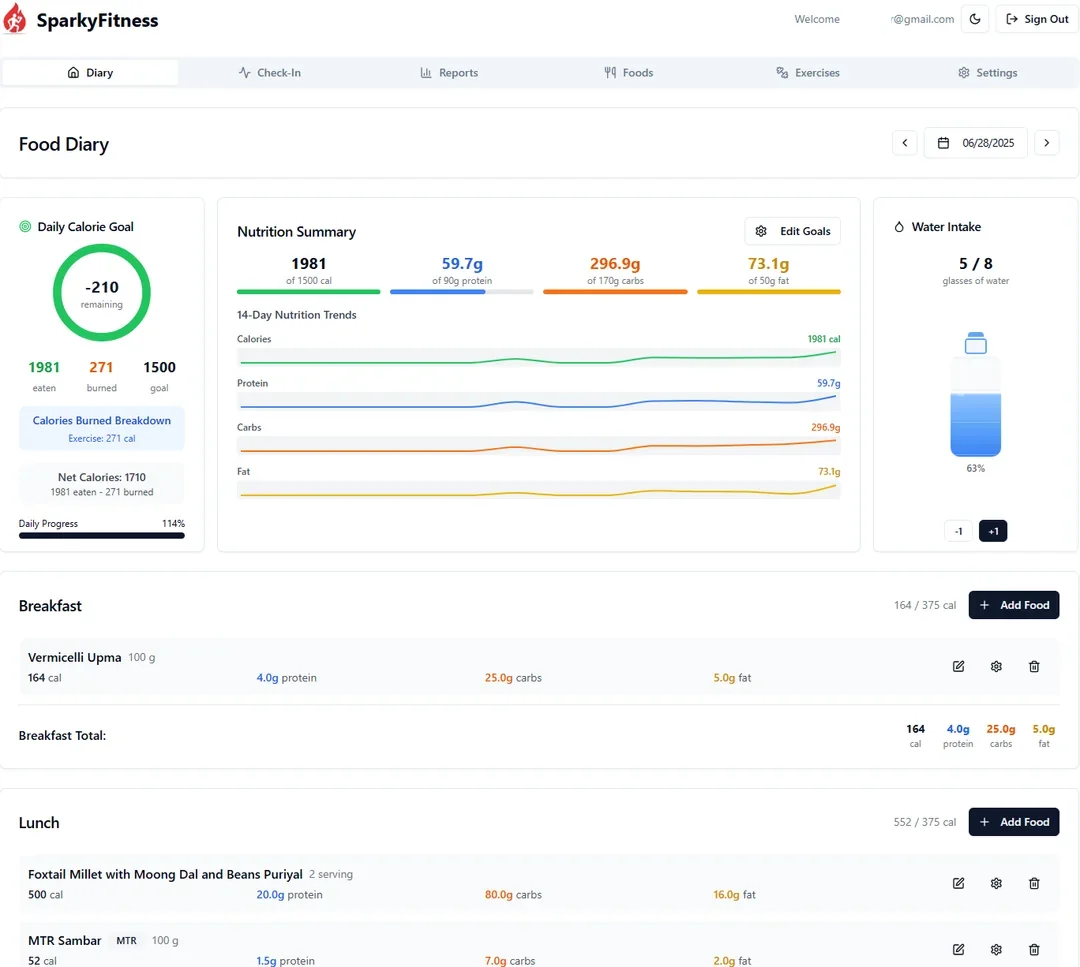
Screenshots
A closer look at SparkyFitness.
Setup time
A few minutes
Deployment
Your own server
Services
3 connected services
Everything you need, running where you choose.
Get the full SparkyFitness experience with Easypanel handling the repetitive infrastructure work around it.
From template to live app in three steps.
Easypanel turns the template into real services, storage, and domains on the server you already control.
Already have Easypanel? Open your dashboard at the URL or IP of your own installation.
Installation guide| Option | Default | Required |
|---|---|---|
App Service Name | sparkyfitness | Required |
App Service Image | codewithcj/sparkyfitness:v0.16.5.4 | Required |
Server Image | codewithcj/sparkyfitness_server:v0.16.5.4 | Required |
API Encryption Key (Auto-generated if empty) A 64-character hex string for data encryption. Auto-generated if not provided. Changing this will invalidate existing encrypted data. | — | Optional |
Better Auth Secret (Auto-generated if empty) Secret key for Better Auth authentication. Auto-generated if not provided. | Set during install | Optional |
Log Level | ERROR / WARN / INFO / DEBUG | Optional |
Allow Private Network CORS Required for current upstream behavior so EXTRA_TRUSTED_ORIGINS is applied. Disable only if upstream removes this coupling. | true | Optional |
Disable Signup Set to true to disable new user registrations | false | Optional |
Force Email Login Force email/password login to be enabled. Fail-safe to prevent being locked out if OIDC is misconfigured. | true | Optional |
Admin Email (Optional) Email of a user to automatically grant admin privileges on server startup. | — | Optional |
Extra Trusted Origins (Optional) Comma-separated list of additional URLs that Better Auth should trust (e.g., http://192.168.1.175:8080) | — | Optional |
Email Host (Optional) SMTP host for email notifications (e.g., smtp.example.com) | — | Optional |
Email Port (Optional) SMTP port (e.g., 587) | — | Optional |
Email Secure (Optional) Use TLS/SSL for email (true) or plain text (false) | true | Optional |
Email User (Optional) SMTP username | — | Optional |
Email Password (Optional) SMTP password | — | Optional |
Email From (Optional) Email address to send from (e.g., [email protected]) | — | Optional |
Custom Domain (Optional) Custom domain for the application (e.g., app.example.com) | — | Optional |
Initial template release
Deploy with confidence.
The template handles the application setup while Easypanel keeps the infrastructure understandable and under your control.
Related templates