All templates

Deploy Bytebase on your own server.

Bytebase logo

Bytebase is a versatile application designed to streamline database management tasks. It supports a wide range of databases including MySQL, PostgreSQL, Snowflake, Oracle, SQL Server, MongoDB, Redis, Redshift, ClickHouse, TiDB, OceanBase, Google Spanner, and MariaDB. With Bytebase, you can easily configure and manage your database…

Your infrastructureAutomatic HTTPSNo lock-in

Screenshots

A closer look at Bytebase.
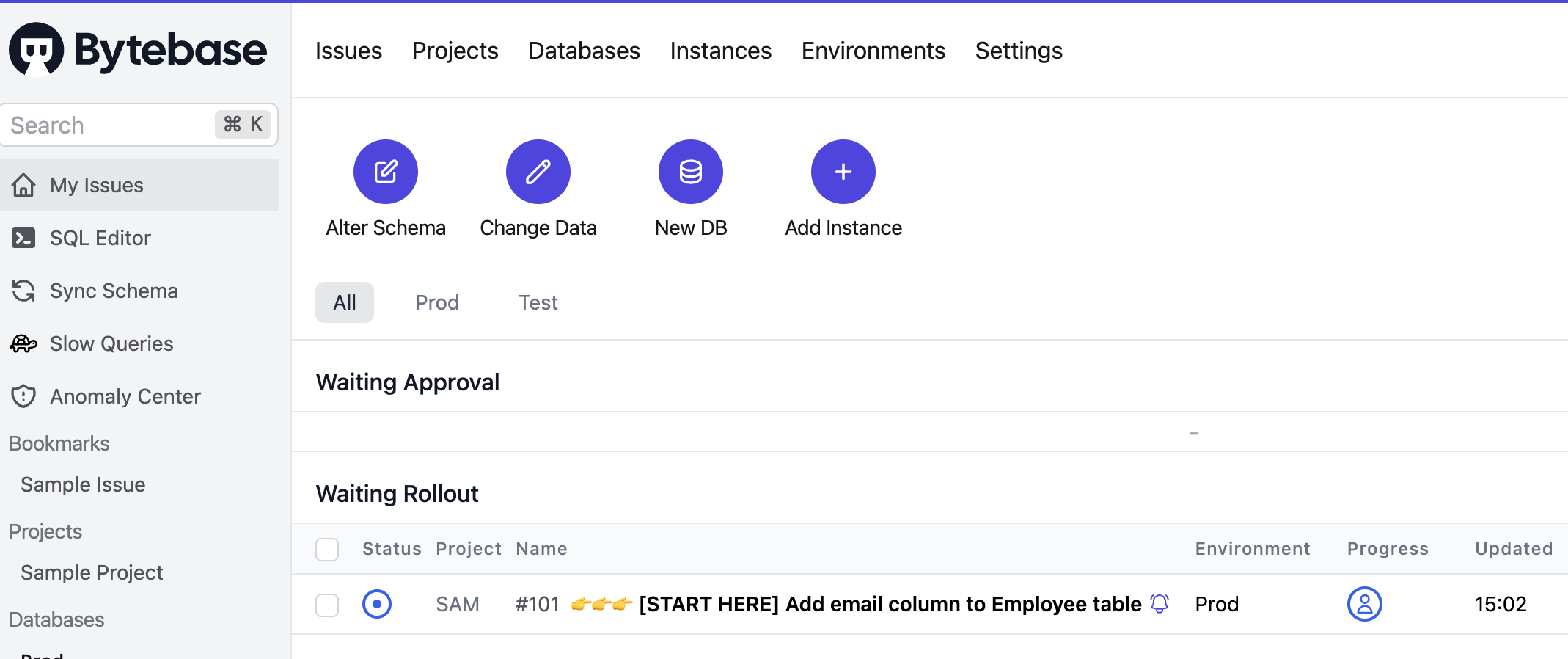
Bytebase screenshot 1

Setup time

A few minutes

Deployment

Your own server

Services

2 connected services

Why Bytebase

Everything you need, running where you choose.

Get the full Bytebase experience with Easypanel handling the repetitive infrastructure work around it.

Data Model Management
Bytebase allows you to manage your data models effectively. It provides core concepts and a step-by-step quick start guide to help you understand and use the data model feature.
Roles and Permissions
Bytebase provides a roles and permissions feature. This allows you to manage user roles and permissions, ensuring that only authorized individuals have access to certain data or operations.
SQL Editor
Bytebase includes a SQL editor feature. This allows you to write and edit SQL queries directly within the app, making it easier to manage and manipulate your data.
VCS Integration (GitOps)
Bytebase supports VCS integration (GitOps). This allows you to integrate your version control system with Bytebase, enabling you to track changes and manage your database more effectively.
Disaster Recovery
Bytebase provides a disaster recovery feature. This ensures that your data is protected and can be recovered in the event of a disaster, providing peace of mind and enhancing the reliability of your database management.
Efficient Database Management
Bytebase is designed to streamline database management tasks. It supports a variety of databases, including MySQL, PostgreSQL, Snowflake, Oracle, SQL Server, MongoDB, Redis, Redshift, ClickHouse, TiDB, OceanBase, Google Spanner, and MariaDB. This makes it a versatile tool for managing different types of databases.
How it works

From template to live app in three steps.

Easypanel turns the template into real services, storage, and domains on the server you already control.

Already have Easypanel? Open your dashboard at the URL or IP of your own installation.

Installation guide
1
Open your dashboard
Visit the URL or IP of your Easypanel installation and choose the target project.
2
Choose Bytebase
Open Templates, select Bytebase, then review its service names and configuration.
3
Deploy and open your app
Easypanel starts every service and provisions an HTTPS domain for you.
Installation options
The template asks for these values before creating your services.
OptionDefaultRequired

App Service Name

bytebaseRequired

App Service Image

bytebase/bytebase:3.17.1Required

Database Service Name

bytebase-dbRequired
Resources
Project documentation and source code.
Latest template update
Apr 29, 2026

Version bumped to 3.17.1

Questions

Deploy with confidence.

The template handles the application setup while Easypanel keeps the infrastructure understandable and under your control.

Keep exploring

Related templates

Browse all
Percona PMM logo
Percona PMM
Percona Monitoring and Management (PMM) is an open-source monitoring and observability platform for MySQL, PostgreSQL, MongoDB, and cloud-native workloads. PMM provides metrics, query analytics, alerts, and dashboards to help you understand database performance and troubleshoot issues quickly.
View template
Adminer logo
Adminer
Adminer is a comprehensive database management tool, designed to simplify and streamline your database operations. Written in PHP, it is a lightweight yet powerful tool that supports a wide range of databases including MySQL, MariaDB, PostgreSQL, SQLite, MS SQL, Oracle, Elasticsearch, MongoDB and others. With Adminer, you can easily connect to a database server using a username and password, select an existing database or create a new one, and manage all aspects of your database including tables, columns, indexes, foreign keys, triggers, views, stored procedures, and functions. It also allows you to execute any SQL command from a text field or a file, and export your database structure, data, views, routines, and databases to SQL or CSV. Adminer prioritizes security, user experience, performance, feature set, and size, making it a reliable and efficient tool for all your database management needs.
View template
CloudBeaver logo
CloudBeaver
CloudBeaver is a web-based database management tool developed by DBeaver team. It provides a modern, intuitive interface for managing databases through your web browser. CloudBeaver supports multiple database types including PostgreSQL, MySQL, MariaDB, SQLite, Oracle, SQL Server, and many others. Perfect for teams who need collaborative database management without installing desktop software.
View template
Bytebase logo
Ready to deploy Bytebase?
Open your own Easypanel dashboard, choose Bytebase from Templates, and review the deployment options.