All templates

Deploy Dashdot on your own server.

Dashdot logo

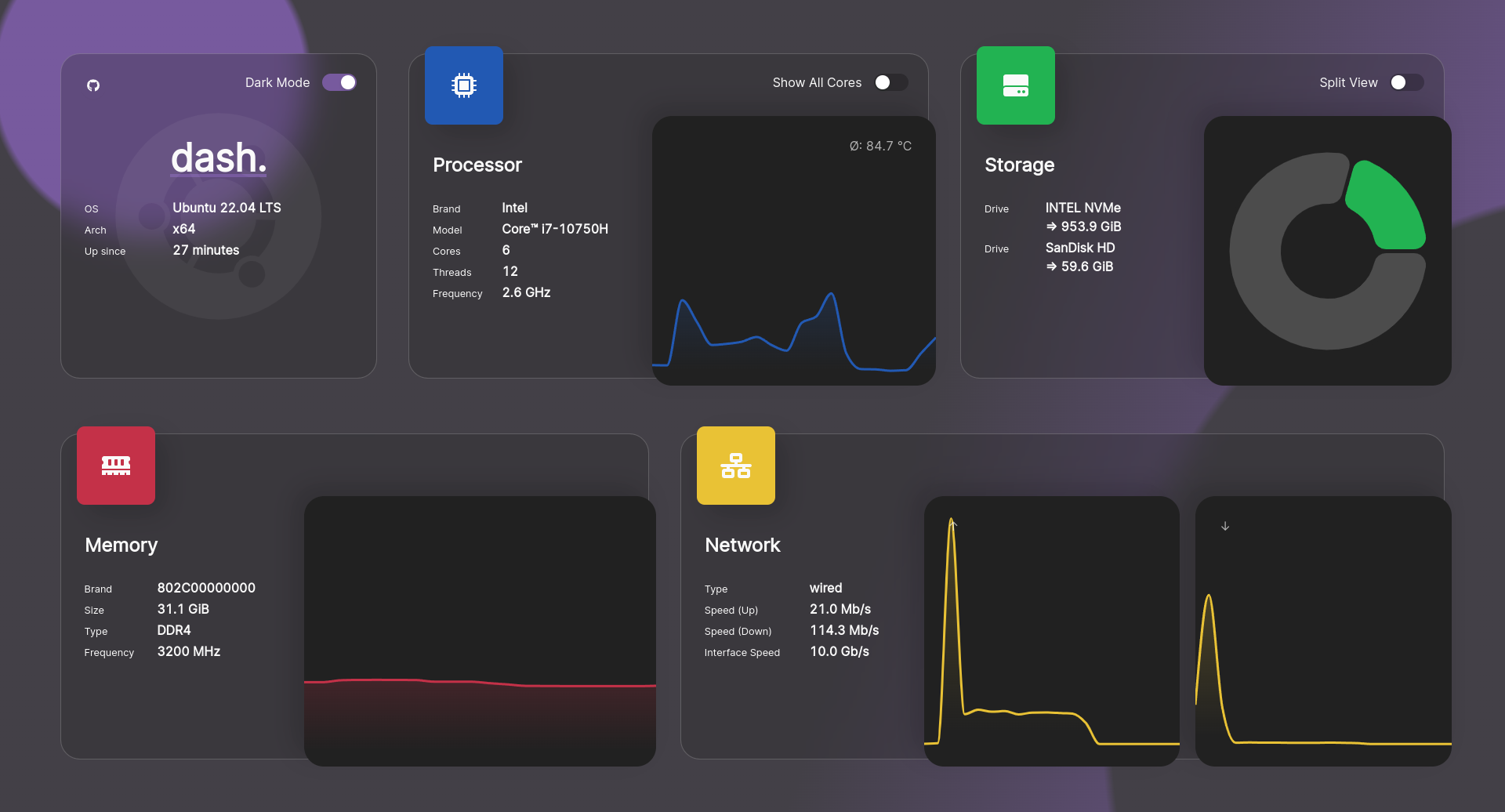
Dash. (or dashdot) is a visually stunning, modern server dashboard designed with a glassmorphism aesthetic. It's built on the latest technology and is intended for use with smaller VPS and private servers. The dashboard is feature-rich, offering a dark/light mode, customizable widgets, beautiful animations and styles, and support for…

Your infrastructureAutomatic HTTPSNo lock-in

Screenshots

A closer look at Dashdot.

Dashdot screenshot 1

Setup time

A few minutes

Deployment

Your own server

Services

1 connected service

Why Dashdot

Everything you need, running where you choose.

Get the full Dashdot experience with Easypanel handling the repetitive infrastructure work around it.

Dark/Light Mode
dash. offers a Dark/Light mode feature, allowing users to switch between themes based on their preference or environmental conditions. This enhances user comfort and accessibility.
Customizable Widgets
The app provides customizable widgets, enabling users to personalize their dashboard according to their needs and preferences. This feature enhances user experience and efficiency.
Beautiful Animations and Styles
dash. is designed with beautiful animations and styles, providing a visually appealing and engaging user interface. This enhances the overall user experience.
Support for Multiple Architectures
dash. supports multiple architectures, making it versatile and adaptable to various server environments. This ensures compatibility and broad usability.
Personalization Options
dash. offers a lot of personalization options, allowing users to tailor the app to their specific needs and preferences. This enhances user satisfaction and efficiency.
Modern Server Dashboard
dash. (or dashdot) is a modern server dashboard, designed with the latest tech and glassmorphism in mind. It is intended for use with smaller VPS and private servers, providing a sleek and intuitive interface for server management.
How it works

From template to live app in three steps.

Easypanel turns the template into real services, storage, and domains on the server you already control.

Already have Easypanel? Open your dashboard at the URL or IP of your own installation.

Installation guide
1
Open your dashboard
Visit the URL or IP of your Easypanel installation and choose the target project.
2
Choose Dashdot
Open Templates, select Dashdot, then review its service names and configuration.
3
Deploy and open your app
Easypanel starts every service and provisions an HTTPS domain for you.
Installation options
The template asks for these values before creating your services.
OptionDefaultRequired

App Service Name

dashdotRequired

App Service Image

mauricenino/dashdot:6.3.4Required
Resources
Project documentation and source code.
Latest template update
Apr 29, 2026

Version bumped to 6.3.4

Questions

Deploy with confidence.

The template handles the application setup while Easypanel keeps the infrastructure understandable and under your control.

Keep exploring

Related templates

Browse all
Homarr logo
Homarr
Homarr is a powerful dashboard designed to simplify the management of your server. It provides a sleek, modern interface that brings all your apps and services together in one place, allowing you to access and control everything with ease. Homarr seamlessly integrates with the apps you've added, offering valuable insights and complete control. You can add your self-hosted applications or favorite websites to your dashboard and organize them as you like. Homarr supports integration with many popular applications to enhance your user experience. It is customizable, accessible, and supports 23 languages. With Homarr, you can control and monitor your network directly, use integrations to display data and control apps, and even create your own dashboard using a comprehensible and easy-to-use visual editor. Homarr is open-source and allows commercial usage. It features a quick search function to easily navigate through your apps and supported integrations.
View template
Glance logo
Glance
Glance is a fast and lightweight self-hosted dashboard that allows you to monitor various real-time data sources through customizable widgets. With support for RSS feeds, market prices, YouTube uploads, Twitch streams, weather forecasts, server stats, Docker container status, and more, Glance provides a centralized hub for tracking essential information. The dashboard is fully themeable, optimized for mobile devices, and highly configurable through YAML-based settings.
View template
Dashy logo
Dashy
Dashy is the ultimate homepage for your homelab, designed to be your personal, privacy-respecting dashboard. It is highly customizable and easy to use, offering a unique user experience with its built-in themes and UI color palette editor. Dashy can auto-fetch icons from the favicon of each of your apps or services, and it provides an instant overview of the health of each of your apps with status indicators. It also features a simple authentication feature for protecting your dashboard, and supports multiple users with granular controls. Dashy comes with 50+ pre-built widgets for displaying dynamic content from any API-enabled service. It offers alternate views for a minimal view or a workspace view, and allows you to choose how to launch your apps. Dashy also includes a search and shortcuts feature for easy navigation, and an optional cloud backup and sync service for off-site config backup. The app supports multiple languages and is easily configurable through a simple YAML file or directly through the UI.
View template
Dashdot logo
Ready to deploy Dashdot?
Open your own Easypanel dashboard, choose Dashdot from Templates, and review the deployment options.