All templates

Deploy Databasus on your own server.

Databasus logo

Databasus is a free, open source, self-hosted backup platform focused on PostgreSQL with support for MySQL, MariaDB, and MongoDB. It helps you schedule backups, apply retention policies, store backups in multiple destinations, and receive notifications about backup progress.

Your infrastructureAutomatic HTTPSNo lock-in

Screenshots

A closer look at Databasus.
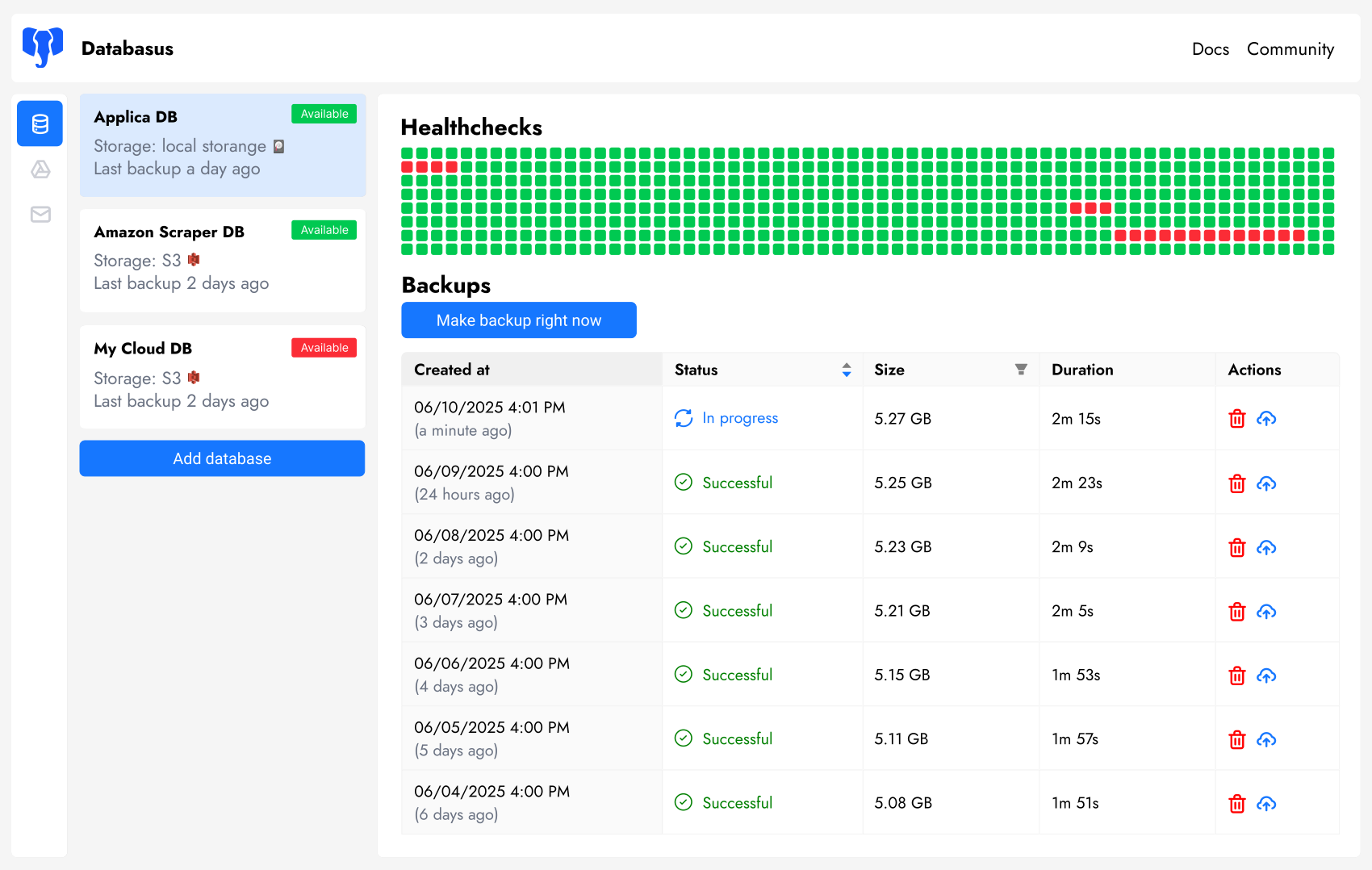
Databasus screenshot 1

Setup time

A few minutes

Deployment

Your own server

Services

1 connected service

Why Databasus

Everything you need, running where you choose.

Get the full Databasus experience with Easypanel handling the repetitive infrastructure work around it.

Storage destinations
Send backups to local storage and cloud targets like S3-compatible systems.
Notifications
Receive backup status alerts via channels such as email, Slack, or Telegram.
Web management UI
Configure backup jobs, policies, and integrations from a browser dashboard.
Automated backups
Schedule reliable backups with flexible intervals and retention controls.
Multi-database support
Manage PostgreSQL, MySQL, MariaDB, and MongoDB backups in one interface.
Self-hosted control
Keep backup data and operations on infrastructure you control.
How it works

From template to live app in three steps.

Easypanel turns the template into real services, storage, and domains on the server you already control.

Already have Easypanel? Open your dashboard at the URL or IP of your own installation.

Installation guide
1
Open your dashboard
Visit the URL or IP of your Easypanel installation and choose the target project.
2
Choose Databasus
Open Templates, select Databasus, then review its service names and configuration.
3
Deploy and open your app
Easypanel starts every service and provisions an HTTPS domain for you.
Installation options
The template asks for these values before creating your services.
OptionDefaultRequired

App Service Name

databasusRequired

Databasus Image

databasus/databasus:v3.33.0Required
Resources
Project documentation and source code.
Latest template update
Apr 29, 2026

Version bumped to v3.33.0

Questions

Deploy with confidence.

The template handles the application setup while Easypanel keeps the infrastructure understandable and under your control.

Keep exploring

Related templates

Browse all
PgBackWeb logo
PgBackWeb
PgBackWeb is a comprehensive web-based backup solution for PostgreSQL databases. It provides an intuitive interface to manage, schedule, and monitor PostgreSQL backups with support for multiple backup destinations including local storage and S3-compatible object storage. The application allows you to configure automated backup schedules, manage retention policies, and restore databases through a user-friendly web interface. PgBackWeb ensures your PostgreSQL databases are safely backed up with encryption support, making it an essential tool for database administrators who need reliable backup management without complex command-line operations. It supports multiple PostgreSQL instances and provides detailed backup logs and notifications.
View template
Percona PMM logo
Percona PMM
Percona Monitoring and Management (PMM) is an open-source monitoring and observability platform for MySQL, PostgreSQL, MongoDB, and cloud-native workloads. PMM provides metrics, query analytics, alerts, and dashboards to help you understand database performance and troubleshoot issues quickly.
View template
CloudBeaver logo
CloudBeaver
CloudBeaver is a web-based database management tool developed by DBeaver team. It provides a modern, intuitive interface for managing databases through your web browser. CloudBeaver supports multiple database types including PostgreSQL, MySQL, MariaDB, SQLite, Oracle, SQL Server, and many others. Perfect for teams who need collaborative database management without installing desktop software.
View template
Databasus logo
Ready to deploy Databasus?
Open your own Easypanel dashboard, choose Databasus from Templates, and review the deployment options.