Deploy Docling on your own server.

Docling logo

Docling parses and converts documents (PDF, DOCX, PPTX, HTML, images and more) into structured formats like Markdown and JSON, with advanced PDF understanding (layout, tables, reading order, formulas and code blocks). This template runs Docling Serve, a FastAPI service that exposes Docling's conversion pipeline over a REST API, with an…

Your infrastructureAutomatic HTTPSNo lock-in

Screenshots

A closer look at Docling.

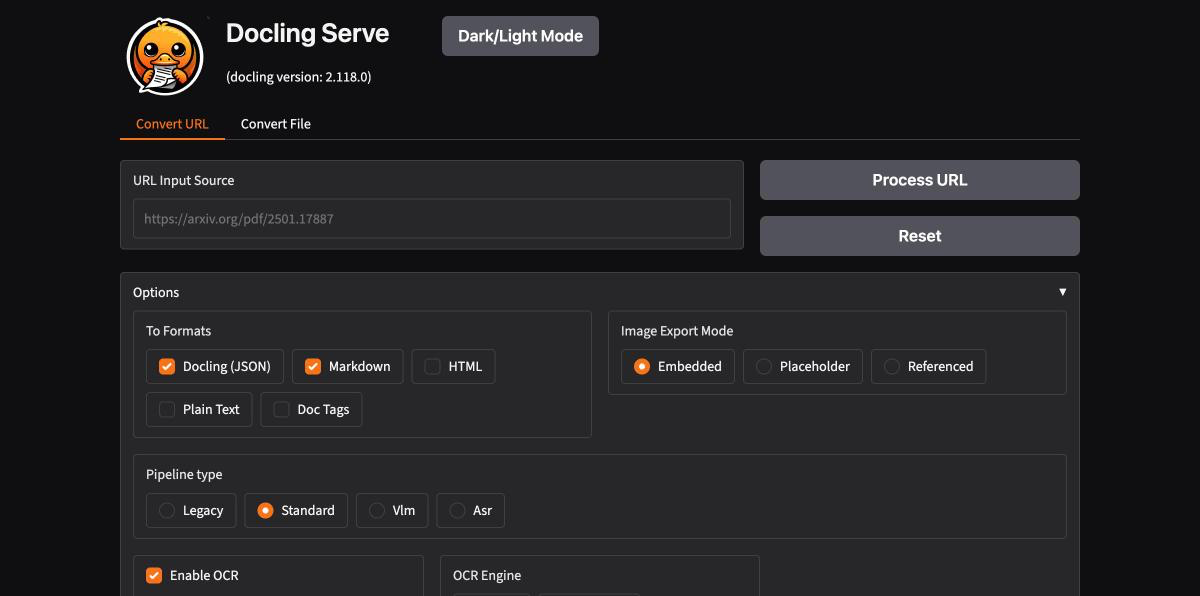
Docling screenshot 1

Setup time

A few minutes

Deployment

Your own server

Services

1 connected service

Why Docling

Everything you need, running where you choose.

Get the full Docling experience with Easypanel handling the repetitive infrastructure work around it.

REST API
Submit conversions over HTTP, with sync and async endpoints
Web UI
Try conversions interactively in the browser
API Documentation
Interactive Swagger/OpenAPI docs served at /docs
Advanced PDF Understanding
Layout, reading order, tables, formulas and code blocks
Many Input Formats
PDF, DOCX, PPTX, HTML, images and more
Structured Output
Convert documents into clean Markdown or JSON
How it works

From template to live app in three steps.

Easypanel turns the template into real services, storage, and domains on the server you already control.

Already have Easypanel? Open your dashboard at the URL or IP of your own installation.

Installation guide
1
Open your dashboard
Visit the URL or IP of your Easypanel installation and choose the target project.
2
Choose Docling
Open Templates, select Docling, then review its service names and configuration.
3
Deploy and open your app
Easypanel starts every service and provisions an HTTPS domain for you.
Installation options
The template asks for these values before creating your services.
OptionDefaultRequired

App Service Name

doclingRequired

App Service Image

ghcr.io/docling-project/docling-serve-cpu:v1.30.0Required
Resources
Project documentation and source code.
Latest template update
Oct 20, 2026

Initial release

Questions

Deploy with confidence.

The template handles the application setup while Easypanel keeps the infrastructure understandable and under your control.

Keep exploring

Related templates

Browse all
BentoPDF logo
BentoPDF
BentoPDF is a powerful self-hosted PDF manipulation and conversion service that provides a comprehensive API for working with PDF documents. It enables developers and teams to automate PDF operations including conversion, merging, splitting, compression, watermarking, and more through a simple REST API. Built with modern technologies, BentoPDF offers a web interface for manual operations and programmatic access for integration into your applications and workflows. The service supports converting various document formats to PDF, extracting text and images, adding annotations, and manipulating PDF metadata. With no external dependencies on third-party services, BentoPDF ensures your documents remain private and secure on your own infrastructure. Perfect for document management systems, automated report generation, form processing, digital archiving, and any application that requires reliable PDF handling capabilities without the costs and privacy concerns of cloud-based PDF services.
View template
StirlingPDF logo
StirlingPDF
StirlingPDF is an open-source PDF management tool designed to streamline PDF handling tasks for both individual users and businesses. It enables users to create, merge, split, compress, and convert PDF documents with ease. Built to support a wide range of platforms, including Linux, Windows, and macOS, StirlingPDF ensures flexibility and resilience for everyday PDF management. Its user-friendly interface and powerful backend make it suitable for both simple and complex PDF workflows. StirlingPDF can run on personal computers or be deployed on servers, offering seamless API access for integration into larger systems. Lightweight and efficient, StirlingPDF is ideal for individual users, small businesses, and large enterprises alike, ensuring reliable PDF manipulation without the need for costly subscriptions. It supports MySQL, PostgreSQL, or SQLite databases, providing robust data handling across various infrastructures.
View template
GitLab CE logo
GitLab CE
GitLab Community Edition is a complete DevOps platform combining Git repository hosting, CI/CD pipelines, issue tracking, container registry, and more in a single self-hosted application. This template runs the official Omnibus GitLab CE image, which bundles GitLab, Postgres, Redis, and all dependencies into one container.
View template
Docling logo
Ready to deploy Docling?
Open your own Easypanel dashboard, choose Docling from Templates, and review the deployment options.