All templates

Deploy Freshrss on your own server.

Freshrss logo

FreshRSS is a free, self-hostable aggregator for RSS feeds. It allows you to gather and read your favorite news sources in one place, providing a streamlined and efficient way to stay informed. The app supports multiple platforms and can be easily accessed through a web user interface. FreshRSS also offers the ability to use external…

Your infrastructureAutomatic HTTPSNo lock-in

Screenshots

A closer look at Freshrss.
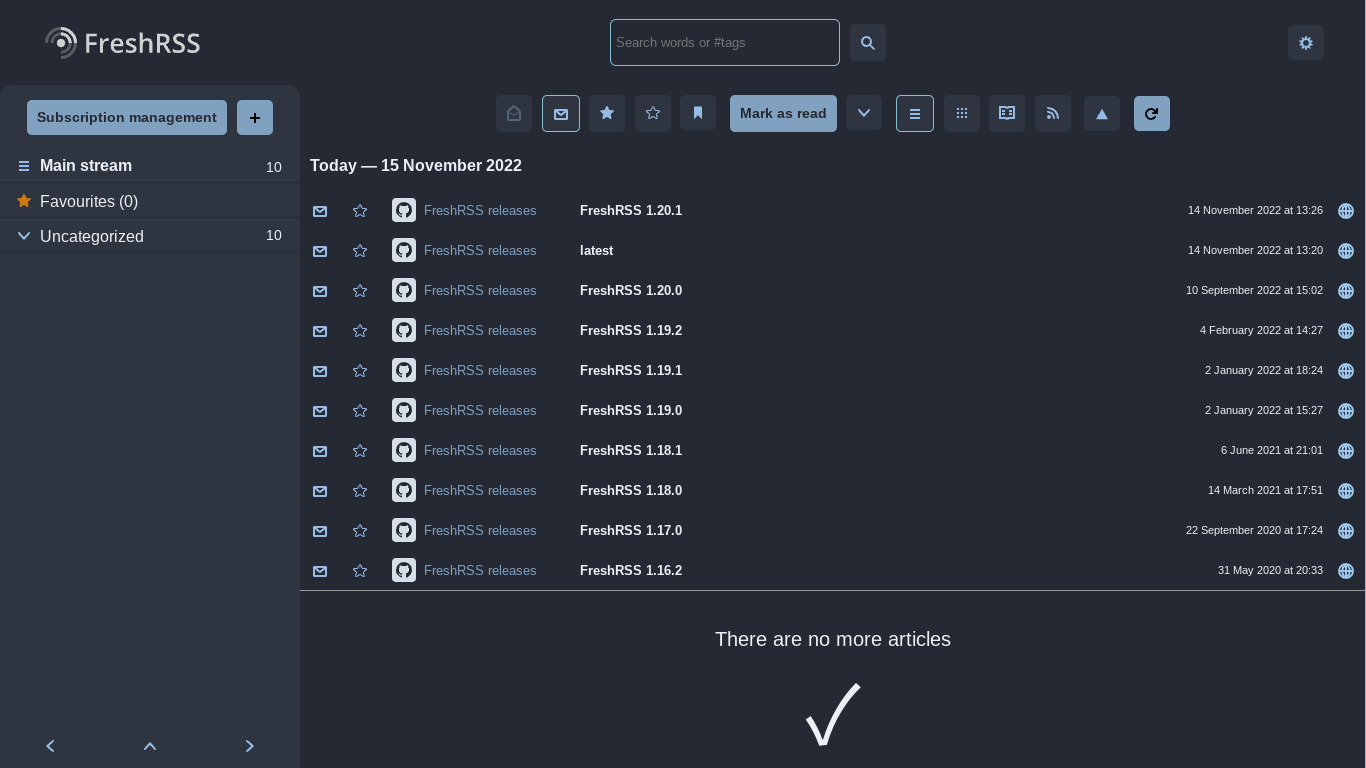
Freshrss screenshot 1

Setup time

A few minutes

Deployment

Your own server

Services

1 connected service

Why Freshrss

Everything you need, running where you choose.

Get the full Freshrss experience with Easypanel handling the repetitive infrastructure work around it.

RSS Feed Aggregator
Freshrss is a powerful RSS feed aggregator. It allows you to collect and view content from your favorite websites, blogs, and more, all in one place.
Self-Hostable
Freshrss is self-hostable, giving you full control over your data and privacy. You can host it on your own server and access it from anywhere.
Multi-platform Support
Freshrss supports multiple platforms. Whether you're using x86-64 or arm64, Freshrss has got you covered.
Easy Setup
Freshrss comes with an easy setup wizard. It guides you through the process of setting up the application, making it easy even for non-technical users.
External Database Support
Freshrss supports external databases. You can create a user and database in your MySQL/MariaDB server and connect it to Freshrss.
Stay Updated
Freshrss is a self-hostable aggregator for RSS feeds. It allows you to stay updated with your favorite websites, blogs, and more, all in one place.
How it works

From template to live app in three steps.

Easypanel turns the template into real services, storage, and domains on the server you already control.

Already have Easypanel? Open your dashboard at the URL or IP of your own installation.

Installation guide
1
Open your dashboard
Visit the URL or IP of your Easypanel installation and choose the target project.
2
Choose Freshrss
Open Templates, select Freshrss, then review its service names and configuration.
3
Deploy and open your app
Easypanel starts every service and provisions an HTTPS domain for you.
Installation options
The template asks for these values before creating your services.
OptionDefaultRequired

App Service Name

freshrssRequired

App Service Image

lscr.io/linuxserver/freshrss:1.28.1Required
Resources
Project documentation and source code.
Latest template update
Feb 21, 2026

Version bumped to 1.28.1

Questions

Deploy with confidence.

The template handles the application setup while Easypanel keeps the infrastructure understandable and under your control.

Freshrss logo
Ready to deploy Freshrss?
Open your own Easypanel dashboard, choose Freshrss from Templates, and review the deployment options.