Deploy Legejo on your own server.

Legejo logo

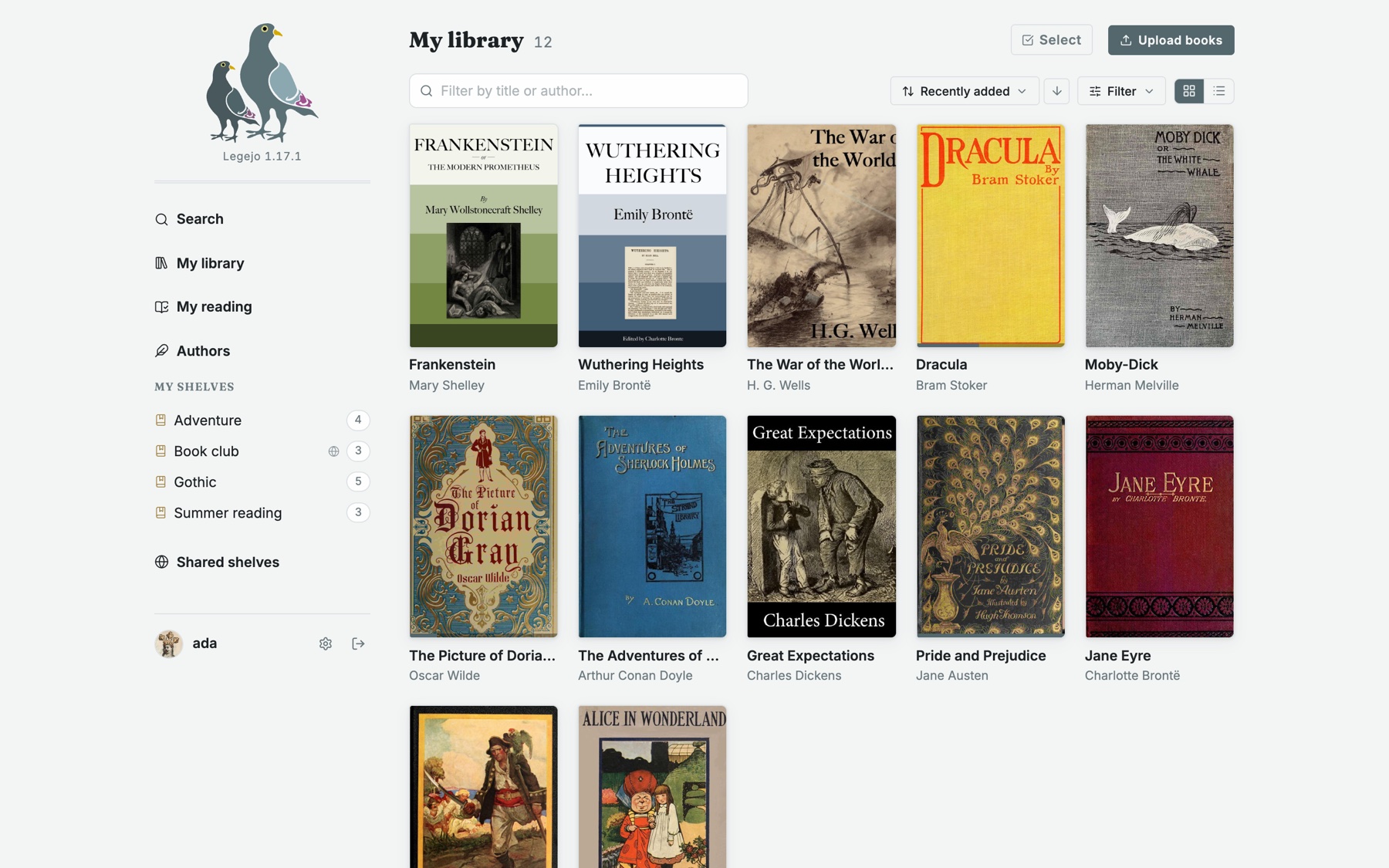
Legejo is a self-hosted library for your EPUB books. Upload books and they get their covers and details and land on shelves you arrange. Read them in the browser with highlights, notes and read-aloud, sync books, reading positions and highlights with a Kobo, connect reading apps such as KOReader or Thorium over OPDS, and keep KOReader's…

Your infrastructureAutomatic HTTPSNo lock-in

Screenshots

A closer look at Legejo.

Legejo screenshot 1

Setup time

A few minutes

Deployment

Your own server

Services

1 connected service

Why Legejo

Everything you need, running where you choose.

Get the full Legejo experience with Easypanel handling the repetitive infrastructure work around it.

Web Reader
A reader in the browser with highlights, notes, search in the book and read-aloud, that works offline once a book is saved on the device.
Kobo Sync
Books, reading positions and highlights sync between Legejo and a Kobo e-reader.
OPDS and KOReader
Reading apps connect over OPDS with an app password, and KOReader keeps its reading position in step with Legejo.
PDFs, Comics and Audiobooks
Read PDFs and CBZ comics in the browser next to the EPUBs, and listen to audiobooks in the browser or as a podcast feed.
Search Inside the Books
Switch it on on the Admin page to keep the text of the EPUBs in the database and search inside them, with phrases and passages that open the book at the match.
Your Books on Your Server
The whole library, database included, lives in one volume on your own server. No account elsewhere, no telemetry.
How it works

From template to live app in three steps.

Easypanel turns the template into real services, storage, and domains on the server you already control.

Already have Easypanel? Open your dashboard at the URL or IP of your own installation.

Installation guide
1
Open your dashboard
Visit the URL or IP of your Easypanel installation and choose the target project.
2
Choose Legejo
Open Templates, select Legejo, then review its service names and configuration.
3
Deploy and open your app
Easypanel starts every service and provisions an HTTPS domain for you.
Installation options
The template asks for these values before creating your services.
OptionDefaultRequired

App Service Name

legejoRequired

App Service Image

slurvdjur/legejo:1.33.0Required

Admin Username

adminRequired
Resources
Project documentation and source code.
Latest template update
Oct 18, 2026

Template created (v1.33.0)

Questions

Deploy with confidence.

The template handles the application setup while Easypanel keeps the infrastructure understandable and under your control.

Legejo logo
Ready to deploy Legejo?
Open your own Easypanel dashboard, choose Legejo from Templates, and review the deployment options.