Deploy MiniQR on your own server.

MiniQR logo

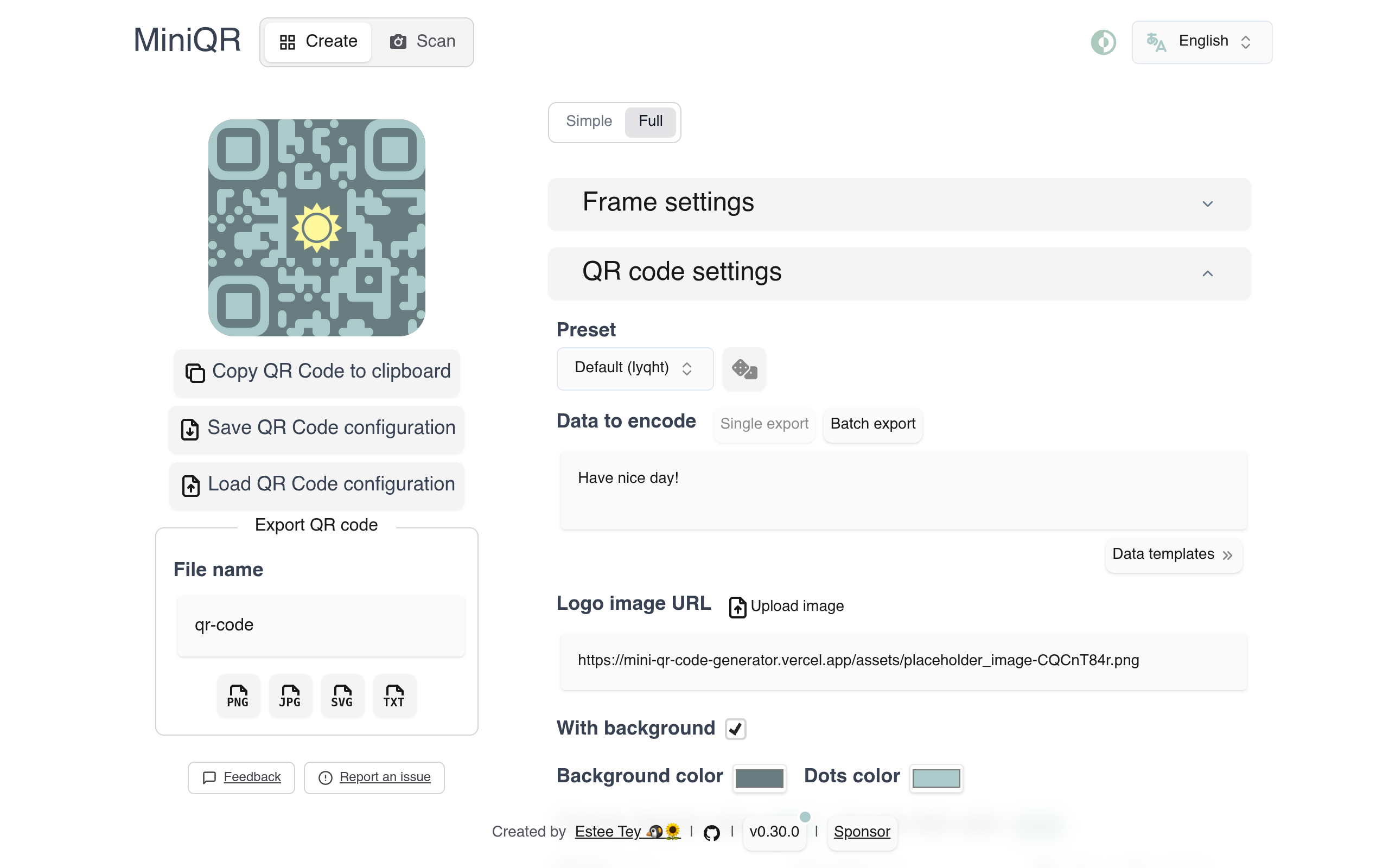
MiniQR is a lightweight, self-hostable QR code generator built with Vue 3 and Vite. It lets you create fully customised QR codes — changing dot shapes, colours, corner styles, embedded logos, and decorative frames — and export them as PNG or SVG. Presets, batch export, and a clean single-page interface make it practical for both personal…

Your infrastructureAutomatic HTTPSNo lock-in

Screenshots

A closer look at MiniQR.

MiniQR screenshot 1

Setup time

A few minutes

Deployment

Your own server

Services

1 connected service

Why MiniQR

Everything you need, running where you choose.

Get the full MiniQR experience with Easypanel handling the repetitive infrastructure work around it.

QR Code Generator
Encode URLs, plain text, Wi-Fi credentials, contact cards, or any other data into a scannable QR code in seconds.
Style Presets
Save and reload named style configurations so you can apply consistent branding across multiple QR codes quickly.
Batch Export
Generate and download multiple QR codes at once from a CSV data source, each using the same visual style.
Frame Designer
Add a decorative frame around the QR code with custom text, colours, border radius, and padding for print-ready output.
Internationalisation
Interface available in multiple languages via Vue i18n with community translations managed through Crowdin.
No Account or Backend Required
Fully static single-page app — deploy once and generate QR codes instantly with no server-side processing or user accounts.
How it works

From template to live app in three steps.

Easypanel turns the template into real services, storage, and domains on the server you already control.

Already have Easypanel? Open your dashboard at the URL or IP of your own installation.

Installation guide
1
Open your dashboard
Visit the URL or IP of your Easypanel installation and choose the target project.
2
Choose MiniQR
Open Templates, select MiniQR, then review its service names and configuration.
3
Deploy and open your app
Easypanel starts every service and provisions an HTTPS domain for you.
Installation options
The template asks for these values before creating your services.
OptionDefaultRequired

App Service Name

mini-qrRequired

App Service Image

ghcr.io/lyqht/mini-qr:v0.31.0Required
Resources
Project documentation and source code.
Latest template update
Jun 23, 2026

Initial release (v0.31.0)

Questions

Deploy with confidence.

The template handles the application setup while Easypanel keeps the infrastructure understandable and under your control.

MiniQR logo
Ready to deploy MiniQR?
Open your own Easypanel dashboard, choose MiniQR from Templates, and review the deployment options.