All templates

Deploy Open Notebook on your own server.

Open Notebook logo

An open-source, privacy-focused alternative to Google's Notebook LM. Supports 18+ AI providers, multi-modal content (PDFs, videos, audio, web pages), podcast generation, full-text and vector search, and a full REST API.

Your infrastructureAutomatic HTTPSNo lock-in

Screenshots

A closer look at Open Notebook.
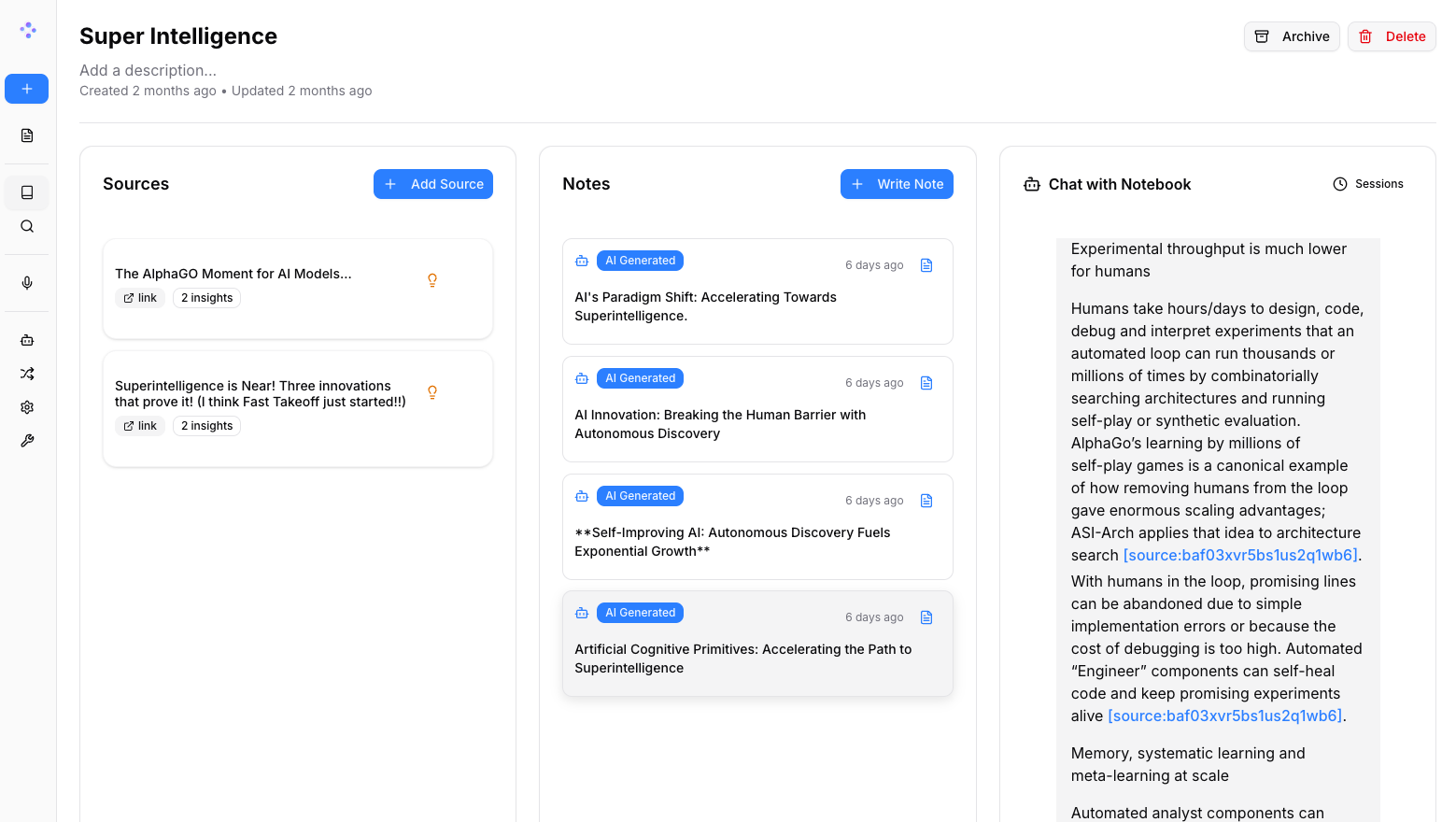
Open Notebook screenshot 1

Setup time

A few minutes

Deployment

Your own server

Services

2 connected services

Why Open Notebook

Everything you need, running where you choose.

Get the full Open Notebook experience with Easypanel handling the repetitive infrastructure work around it.

AI-Powered Research
Chat with your notes and sources using any supported AI provider. Includes full-text and vector search across all content.
SurrealDB Backend
Powered by SurrealDB for fast, flexible, multi-model data storage with GraphQL support.
Multi-Language UI
Interface available in English, Portuguese, Chinese, Japanese, Russian, and Bengali.
Open Source
MIT-licensed and fully customizable. Modify, extend, and integrate as needed.
Privacy First
Self-hosted deployment keeps your research data completely private and under your control.
Multi-Provider AI
Connect to 18+ AI providers including OpenAI, Anthropic, Ollama, and LM Studio — no vendor lock-in.
How it works

From template to live app in three steps.

Easypanel turns the template into real services, storage, and domains on the server you already control.

Already have Easypanel? Open your dashboard at the URL or IP of your own installation.

Installation guide
1
Open your dashboard
Visit the URL or IP of your Easypanel installation and choose the target project.
2
Choose Open Notebook
Open Templates, select Open Notebook, then review its service names and configuration.
3
Deploy and open your app
Easypanel starts every service and provisions an HTTPS domain for you.
Installation options
The template asks for these values before creating your services.
OptionDefaultRequired

App Service Name

open-notebookRequired

SurrealDB Image

surrealdb/surrealdb:v2.6.5-devRequired

App Service Image

lfnovo/open_notebook:1.8.5Required

Encryption Key

Secret key used to encrypt your AI provider API keys in the database. Change this to a unique random string.

Required
Resources
Project documentation and source code.
Latest template update
May 25, 2026

Initial release (v1.8.5)

Questions

Deploy with confidence.

The template handles the application setup while Easypanel keeps the infrastructure understandable and under your control.

Open Notebook logo
Ready to deploy Open Notebook?
Open your own Easypanel dashboard, choose Open Notebook from Templates, and review the deployment options.