All templates

Deploy Paperclip on your own server.

Paperclip logo

Paperclip is an open-source orchestration platform for running autonomous AI-powered businesses. It provides a Node.js server and React UI that coordinates teams of AI agents — supporting Claude Code, Codex, Cursor, Bash, and HTTP webhooks — through a structured org chart with roles, budgets, governance, and goal alignment. Agents are…

Your infrastructureAutomatic HTTPSNo lock-in

Screenshots

A closer look at Paperclip.
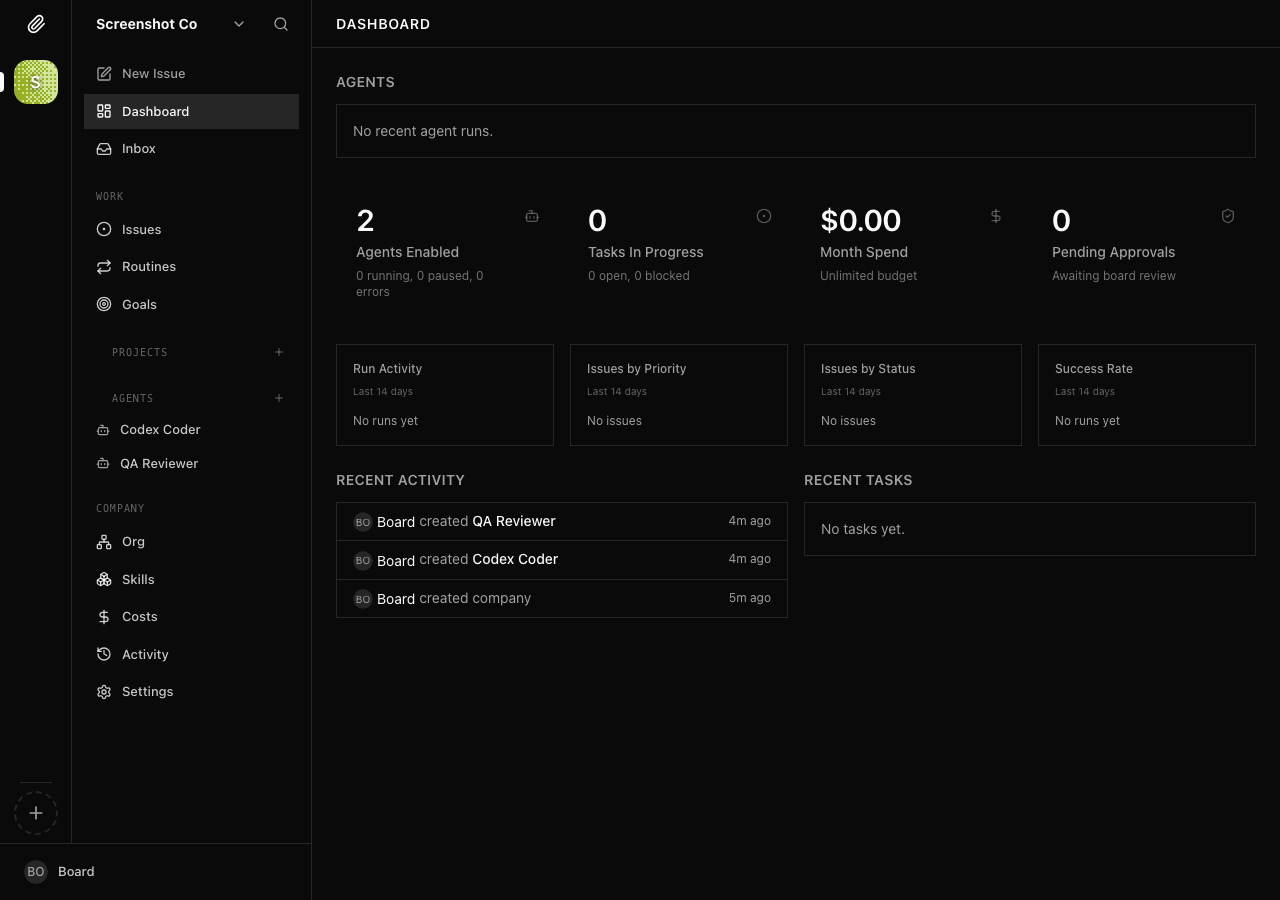
Paperclip screenshot 1

Setup time

A few minutes

Deployment

Your own server

Services

2 connected services

Why Paperclip

Everything you need, running where you choose.

Get the full Paperclip experience with Easypanel handling the repetitive infrastructure work around it.

Org Chart with Roles and Reporting Lines
Model your AI company structurally with job titles, permissions, and manager/report relationships so every agent knows its responsibilities.
Goal-Traced Task System
Every issue traces back to the company mission. Atomic checkout prevents duplicate work, and structured dependencies keep tasks ordered correctly.
Heartbeat Scheduling
Agents wake on a configurable schedule, check their queue, and take action. Delegation flows up and down the org chart automatically.
Board Approval Workflows
Require human sign-off before agents execute critical actions, giving you governance control without micromanaging every step.
Adapter-Agnostic Agent Support
Connect any agent runtime — Claude Code, OpenAI Codex, Cursor, Gemini, Bash scripts, or plain HTTP webhooks — through a unified adapter layer.
Full Audit Logging
Every tool call, cost event, and decision is logged and queryable, giving you a complete history of what every agent did and why.
How it works

From template to live app in three steps.

Easypanel turns the template into real services, storage, and domains on the server you already control.

Already have Easypanel? Open your dashboard at the URL or IP of your own installation.

Installation guide
1
Open your dashboard
Visit the URL or IP of your Easypanel installation and choose the target project.
2
Choose Paperclip
Open Templates, select Paperclip, then review its service names and configuration.
3
Deploy and open your app
Easypanel starts every service and provisions an HTTPS domain for you.
Installation options
The template asks for these values before creating your services.
OptionDefaultRequired

App Service Name

paperclipRequired

App Service Image

ghcr.io/paperclipai/paperclip:sha-8af38fbRequired
Resources
Project documentation and source code.
Latest template update
May 11, 2026

first release

Questions

Deploy with confidence.

The template handles the application setup while Easypanel keeps the infrastructure understandable and under your control.

Paperclip logo
Ready to deploy Paperclip?
Open your own Easypanel dashboard, choose Paperclip from Templates, and review the deployment options.