All templates

Deploy Remotely on your own server.

Remotely logo

Remotely is a free, open-source remote support and remote access solution that enables IT professionals to provide remote assistance to users and manage computers remotely. Built with ASP.NET Core, it offers secure remote desktop access, file transfer capabilities, remote command execution, and comprehensive device management features.…

Your infrastructureAutomatic HTTPSNo lock-in

Screenshots

A closer look at Remotely.
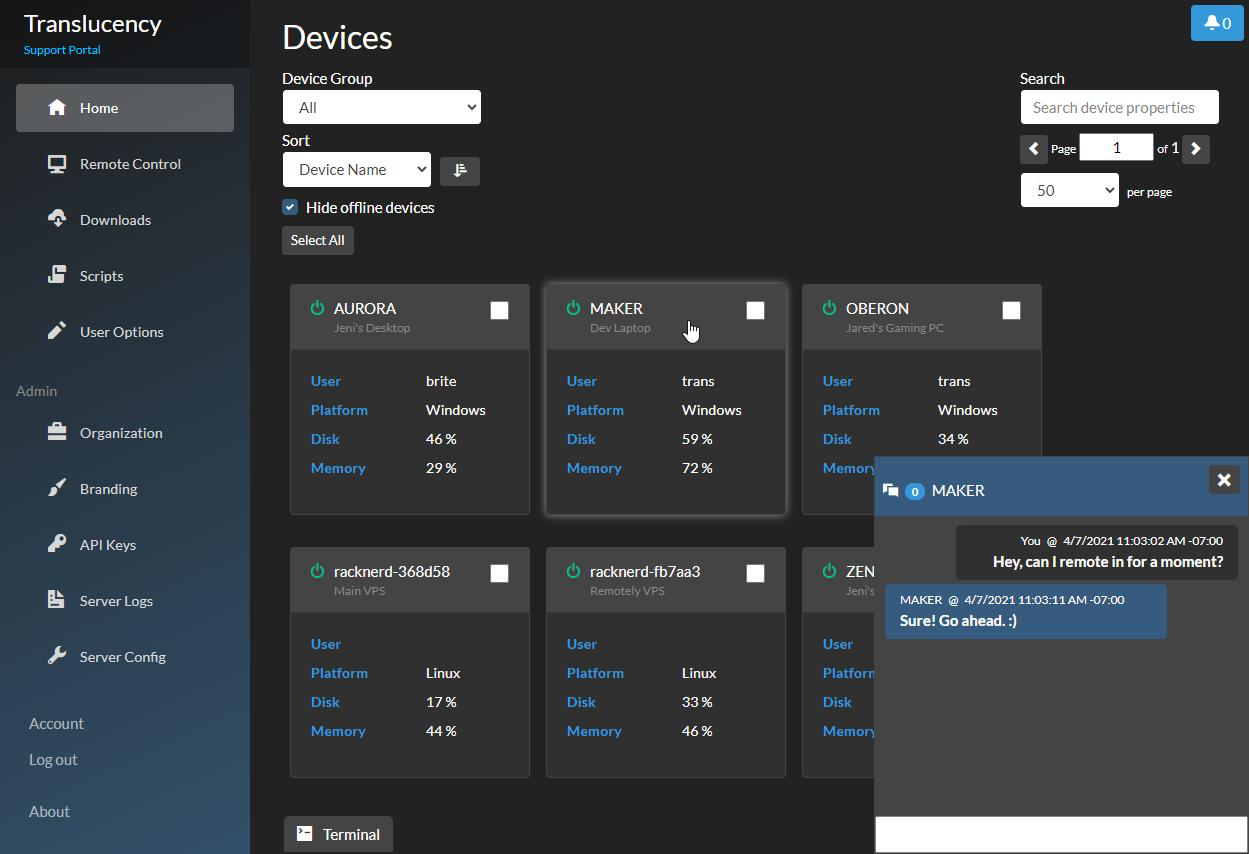
Remotely screenshot 1

Setup time

A few minutes

Deployment

Your own server

Services

1 connected service

Why Remotely

Everything you need, running where you choose.

Get the full Remotely experience with Easypanel handling the repetitive infrastructure work around it.

Remote Desktop Control
Full remote desktop access with screen sharing, keyboard and mouse control, and real-time collaboration capabilities for remote support.
Device Management
Centralized management of connected devices with system information, status monitoring, and remote configuration capabilities.
Session Recording
Record remote sessions for training, compliance, and troubleshooting purposes with playback and sharing functionality.
Chat and Communication
Built-in chat functionality for real-time communication between support technicians and end users during remote sessions.
Wake-on-LAN
Wake up remote computers from sleep mode using Wake-on-LAN technology for convenient remote access without physical presence.
Multi-Monitor Support
Support for multiple monitors on remote machines with seamless switching and display management for comprehensive remote control.
How it works

From template to live app in three steps.

Easypanel turns the template into real services, storage, and domains on the server you already control.

Already have Easypanel? Open your dashboard at the URL or IP of your own installation.

Installation guide
1
Open your dashboard
Visit the URL or IP of your Easypanel installation and choose the target project.
2
Choose Remotely
Open Templates, select Remotely, then review its service names and configuration.
3
Deploy and open your app
Easypanel starts every service and provisions an HTTPS domain for you.
Installation options
The template asks for these values before creating your services.
OptionDefaultRequired

App Service Name

remotelyRequired

App Service Image

immybot/remotely:1037Required
Resources
Project documentation and source code.
Latest template update
May 5, 2026

version bumped to 1037

Questions

Deploy with confidence.

The template handles the application setup while Easypanel keeps the infrastructure understandable and under your control.

Keep exploring

Related templates

Browse all
UpSnap logo
UpSnap
UpSnap is a self-hosted wake-on-lan (WOL) server with a modern web interface. It allows you to remotely power on computers on your local network from anywhere through an intuitive dashboard. UpSnap features device management with customizable names and MAC addresses, wake history tracking, and user authentication. Perfect for home networks, small offices, or lab environments where you need to remotely manage the power state of multiple machines.
View template
Remmina logo
Remmina
Remmina is a remote desktop client designed to be useful for system administrators and travellers who need to work with multiple remote computers. It supports a variety of network protocols, including RDP, VNC, SPICE, NX, XDMCP, SSH and EXEC, all within an integrated and consistent user interface. The app is written in GTK and is designed to be functional on both large and tiny screens. It can be accessed via http://yourhost:3000/ or https://yourhost:3001/. The app is based on Docker Baseimage KasmVNC, which provides additional environment variables and run configurations to enable or disable specific functionality.
View template
OliveTin logo
OliveTin
OliveTin is a web interface for running Linux shell commands. It provides a simple, elegant dashboard that lets you execute predefined commands with a single click. Perfect for system administrators, home automation enthusiasts, or anyone who wants to simplify repetitive tasks without memorizing complex command-line syntax. OliveTin is lightweight, secure, and highly customizable, allowing you to create buttons for anything from system maintenance to home automation controls.
View template
Remotely logo
Ready to deploy Remotely?
Open your own Easypanel dashboard, choose Remotely from Templates, and review the deployment options.