All templates

Deploy UpSnap on your own server.

UpSnap logo

UpSnap is a self-hosted wake-on-lan (WOL) server with a modern web interface. It allows you to remotely power on computers on your local network from anywhere through an intuitive dashboard. UpSnap features device management with customizable names and MAC addresses, wake history tracking, and user authentication. Perfect for home…

Your infrastructureAutomatic HTTPSNo lock-in

Screenshots

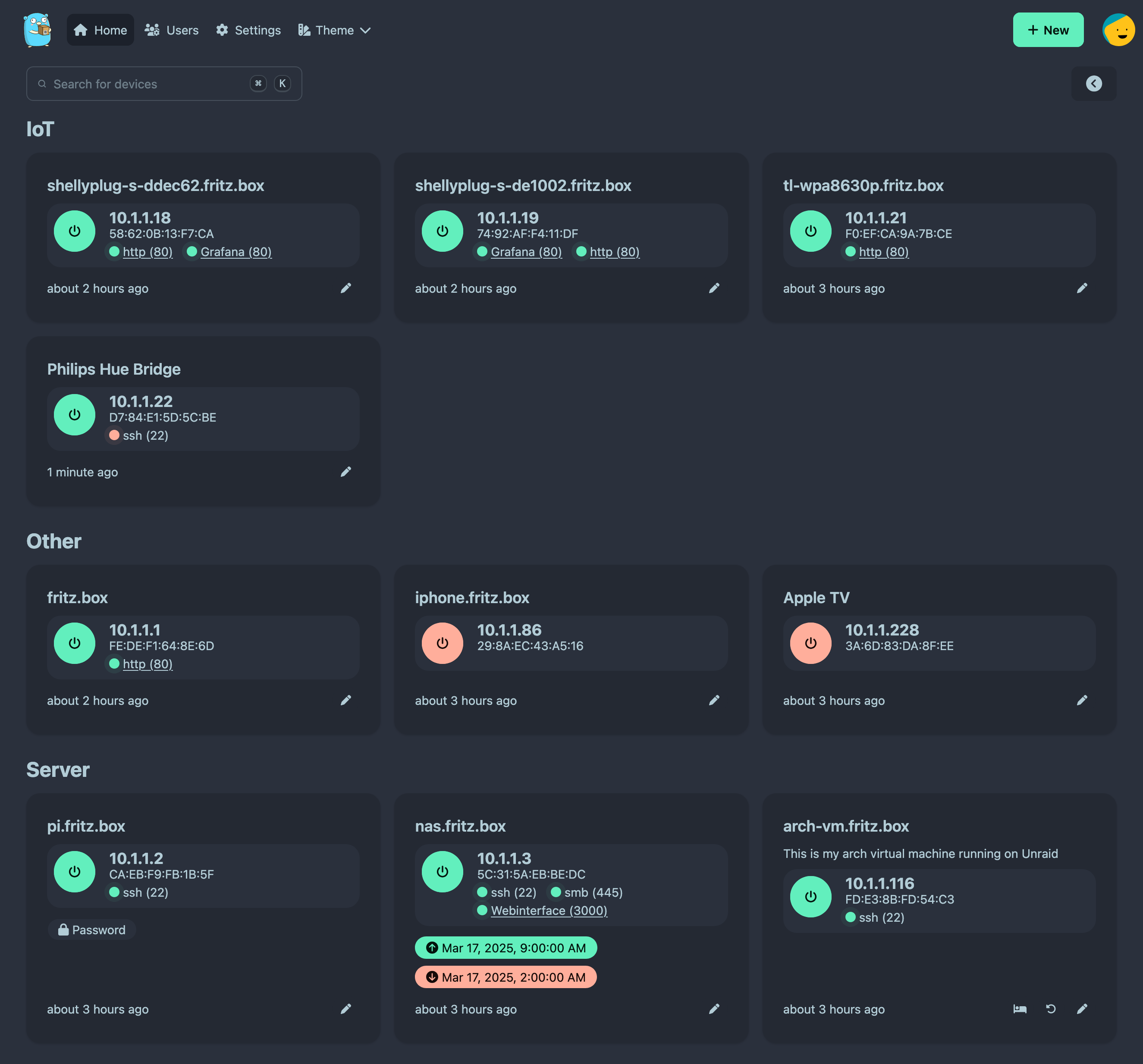
A closer look at UpSnap.

UpSnap screenshot 1

Setup time

A few minutes

Deployment

Your own server

Services

1 connected service

Why UpSnap

Everything you need, running where you choose.

Get the full UpSnap experience with Easypanel handling the repetitive infrastructure work around it.

Modern Web Interface
UpSnap provides a clean, responsive web interface that works across devices and screen sizes for easy device management.
Device Management
Add, edit, and organize multiple devices with custom names, descriptions, and MAC addresses for easy identification.
Wake History
Keep track of when devices were powered on with a detailed history log, providing visibility into your network activity.
User Authentication
Secure your Wake-on-LAN controls with user authentication to prevent unauthorized access and power management.
Persistent Storage
Store your device configurations and user data securely with persistent storage that survives container restarts and updates.
Remote Power Management
Conveniently power on your network devices from anywhere using Wake-on-LAN technology, eliminating the need for physical access.
How it works

From template to live app in three steps.

Easypanel turns the template into real services, storage, and domains on the server you already control.

Already have Easypanel? Open your dashboard at the URL or IP of your own installation.

Installation guide
1
Open your dashboard
Visit the URL or IP of your Easypanel installation and choose the target project.
2
Choose UpSnap
Open Templates, select UpSnap, then review its service names and configuration.
3
Deploy and open your app
Easypanel starts every service and provisions an HTTPS domain for you.
Installation options
The template asks for these values before creating your services.
OptionDefaultRequired

App Service Name

upsnapRequired

App Service Image

ghcr.io/seriousm4x/upsnap:4Required
Resources
Project documentation and source code.
Latest template update
Apr 24, 2025

first release

Questions

Deploy with confidence.

The template handles the application setup while Easypanel keeps the infrastructure understandable and under your control.

Keep exploring

Related templates

Browse all
NetAlertX logo
NetAlertX
NetAlertX is a network monitoring and notification framework that scans your Wi-Fi/LAN network and alerts you when new or unknown devices are detected. It provides real-time network device discovery, ARP scanning, and customizable alert notifications. Built for network administrators and security-conscious users, NetAlertX helps you maintain visibility over your network by tracking connected devices and identifying unauthorized access. The application features a web-based dashboard, GraphQL API, and supports various notification methods to keep you informed about network changes.
View template
Remotely logo
Remotely
Remotely is a free, open-source remote support and remote access solution that enables IT professionals to provide remote assistance to users and manage computers remotely. Built with ASP.NET Core, it offers secure remote desktop access, file transfer capabilities, remote command execution, and comprehensive device management features. The platform includes a web-based dashboard for managing connected devices, user authentication, and audit logging. Perfect for IT support teams, managed service providers, and organizations that need to provide remote technical support and system administration.
View template
PruneMate logo
PruneMate
PruneMate is a self-hosted Docker cleanup and management tool that provides a web-based interface for pruning unused Docker resources from your system. It helps you reclaim disk space by identifying and removing unused containers, images, volumes, networks, and build cache. With its intuitive dashboard, you can easily monitor Docker resource usage, schedule automatic cleanup tasks, and manually trigger pruning operations without using command-line tools. PruneMate connects directly to your Docker daemon via the Docker socket, allowing it to safely analyze and clean up orphaned resources that accumulate over time. The application features configurable cleanup schedules, selective pruning options to choose which resource types to clean, detailed logging of all cleanup operations, and real-time statistics showing disk space recovered. With timezone support and customizable time format settings, you can schedule cleanup operations to run during off-peak hours. Perfect for developers and system administrators who manage Docker environments and want to automate the cleanup of unused resources, homelab enthusiasts running multiple containers who need to manage disk space efficiently, CI/CD environments where frequent image builds create significant cleanup overhead, or anyone looking for a simple web interface to manage Docker resource cleanup without remembering complex docker system prune commands.
View template
UpSnap logo
Ready to deploy UpSnap?
Open your own Easypanel dashboard, choose UpSnap from Templates, and review the deployment options.