All templates

Deploy Slash on your own server.

Slash logo

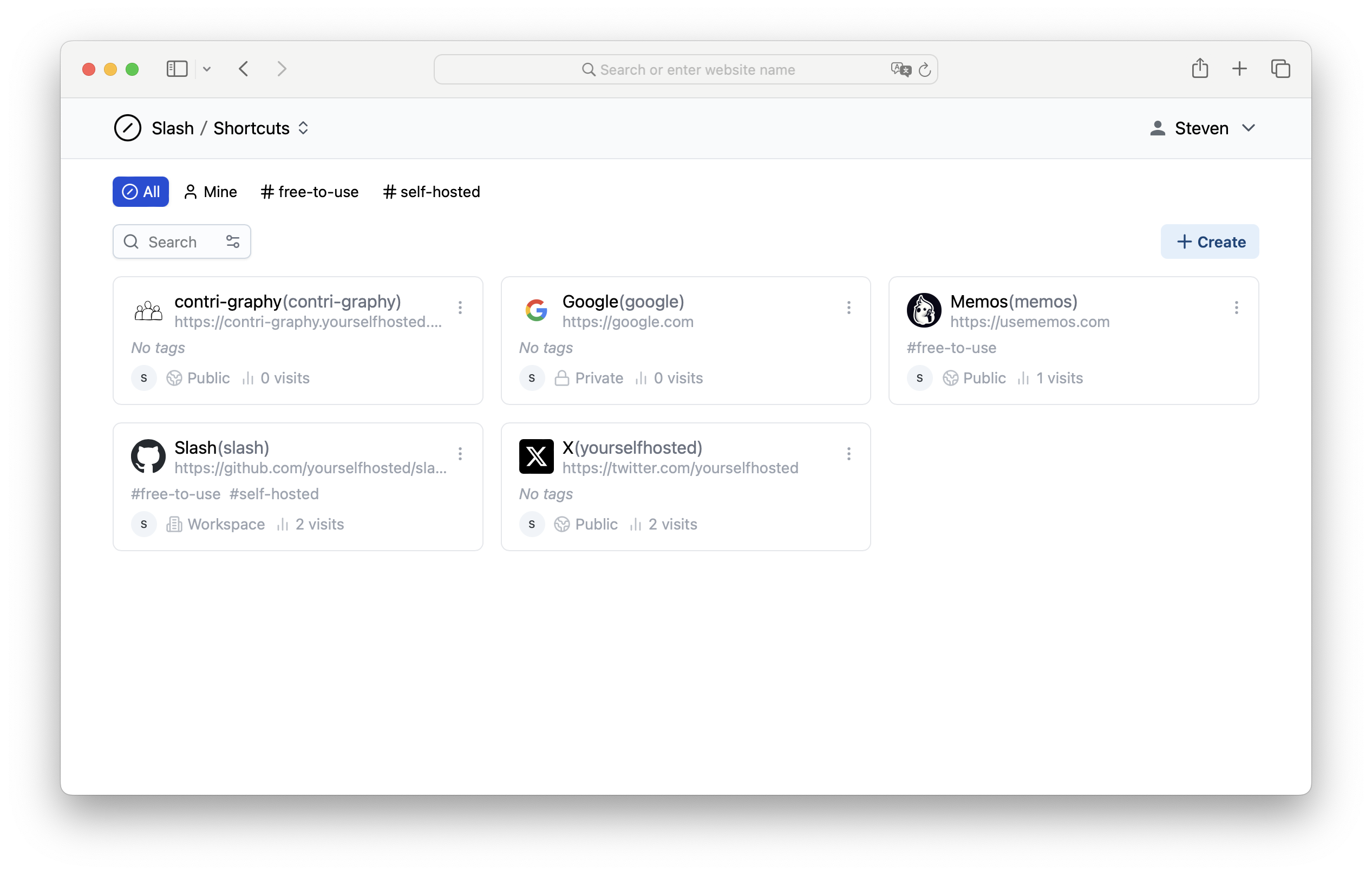
Slash is an open source, self-hosted platform designed to help you organize, manage, and share your most important links. Easily create customizable, human-readable shortcuts to streamline your link management. Use tags to categorize your links and share them easily with your team or publicly.

Your infrastructureAutomatic HTTPSNo lock-in

Screenshots

A closer look at Slash.

Slash screenshot 1

Setup time

A few minutes

Deployment

Your own server

Services

1 connected service

Why Slash

Everything you need, running where you choose.

Get the full Slash experience with Easypanel handling the repetitive infrastructure work around it.

Self-Hosting Capability
Slash is designed to be self-hosted, giving you full control over your data and ensuring privacy and security in managing your links.
Public and Team Sharing
Share your links publicly or with specific teams, making collaboration simple and efficient. This feature is ideal for teams that need to manage and share resources regularly.
Search and Filter
Slash offers a robust search and filter function, making it easy to find links based on keywords, tags, or custom shortcuts.
API Support
Slash includes API support for integrating link management with other applications and automating workflows, providing flexibility and enhanced productivity.
Analytics and Insights
Gain insights into how your links are being used with built-in analytics. Track visits, referrers, and other data to better understand link performance.
Efficient Link Management
Slash is an open-source, self-hosted platform designed to help you organize, manage, and share your most important links. It provides an intuitive interface for creating, managing, and categorizing links effortlessly.
How it works

From template to live app in three steps.

Easypanel turns the template into real services, storage, and domains on the server you already control.

Already have Easypanel? Open your dashboard at the URL or IP of your own installation.

Installation guide
1
Open your dashboard
Visit the URL or IP of your Easypanel installation and choose the target project.
2
Choose Slash
Open Templates, select Slash, then review its service names and configuration.
3
Deploy and open your app
Easypanel starts every service and provisions an HTTPS domain for you.
Installation options
The template asks for these values before creating your services.
OptionDefaultRequired

App Service Name

slashRequired

App Service Image

yourselfhosted/slash:1.0.0-rc.2Required
Resources
Project documentation and source code.
Latest template update
Feb 24, 2026

Version bumped to 1.0.0-rc.2

Questions

Deploy with confidence.

The template handles the application setup while Easypanel keeps the infrastructure understandable and under your control.

Keep exploring

Related templates

Browse all
Flatnotes logo
Flatnotes
Flatnotes is an open-source, self-hosted note-taking platform designed to help individuals and teams manage their notes efficiently. It provides a lightweight and intuitive interface for creating, organizing, and sharing notes. With robust customization options, Flatnotes supports markdown editing, tagging, and a responsive design, making it a versatile solution for note management.
View template
Homepage logo
Homepage
Homepage is a self-hosted dashboard designed to provide a centralized hub for accessing and managing your server and web services. With an intuitive and customizable interface, Homepage makes it easy to organize links, monitor system health, and view important metrics in one place. It supports a wide range of integrations, including Docker, Kubernetes, and popular web services, making it an ideal tool for individuals and teams looking to streamline access and management of their infrastructure. Being open-source, Homepage offers transparency, flexibility, and control to users.
View template
Glance logo
Glance
Glance is a fast and lightweight self-hosted dashboard that allows you to monitor various real-time data sources through customizable widgets. With support for RSS feeds, market prices, YouTube uploads, Twitch streams, weather forecasts, server stats, Docker container status, and more, Glance provides a centralized hub for tracking essential information. The dashboard is fully themeable, optimized for mobile devices, and highly configurable through YAML-based settings.
View template
Slash logo
Ready to deploy Slash?
Open your own Easypanel dashboard, choose Slash from Templates, and review the deployment options.