Deploy wacrm on your own server.

wacrm logo

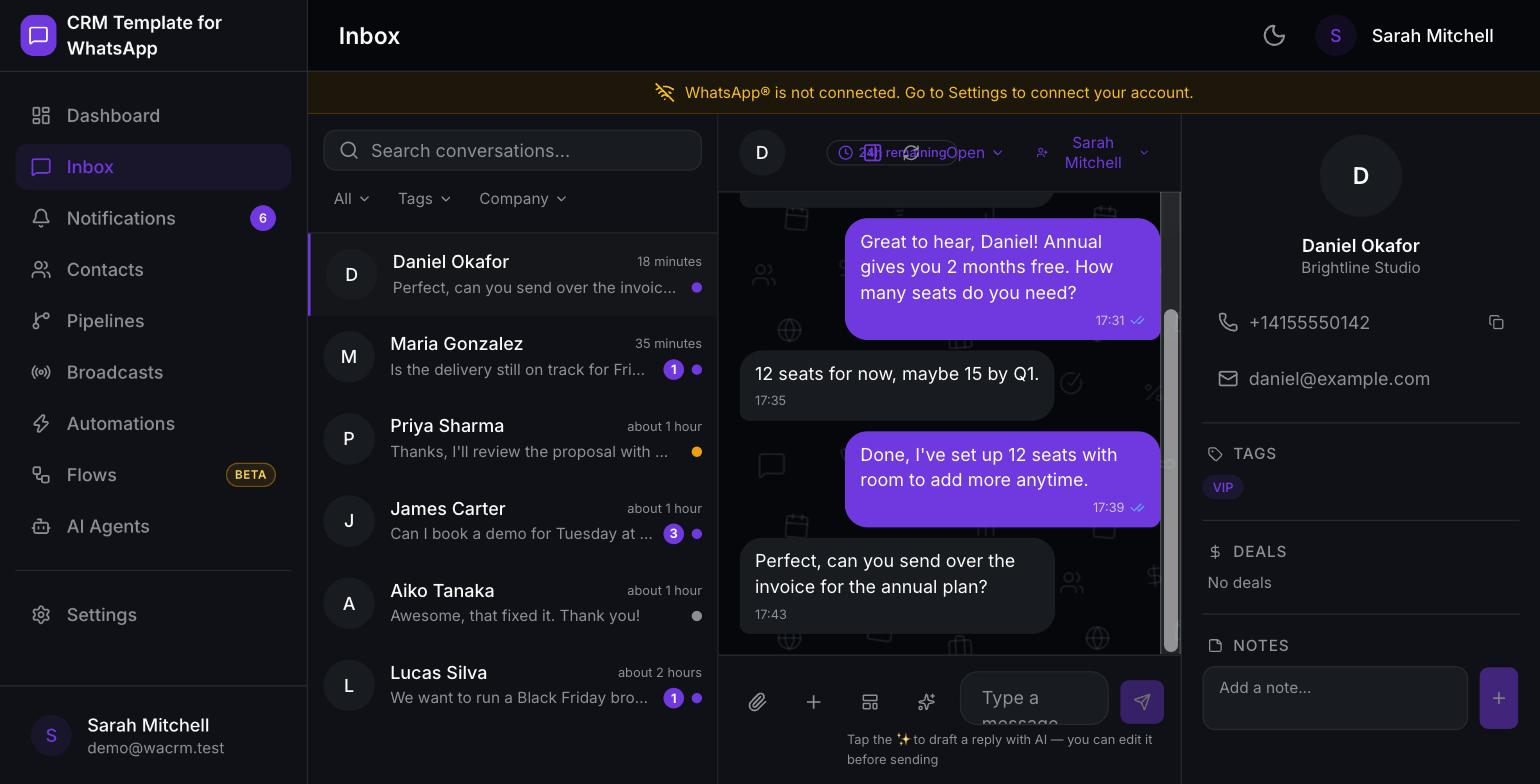
wacrm is an open-source, self-hosted CRM built on the official WhatsApp Business API. It gives a team a shared inbox for one WhatsApp number, contacts with tags and custom fields, Kanban sales pipelines linked to conversations, Meta-approved broadcast campaigns, and a no-code automation builder. A bring-your-own-key AI assistant can…

Your infrastructureAutomatic HTTPSNo lock-in

Screenshots

A closer look at wacrm.

wacrm screenshot 1

Setup time

A few minutes

Deployment

Your own server

Services

1 connected service

Why wacrm

Everything you need, running where you choose.

Get the full wacrm experience with Easypanel handling the repetitive infrastructure work around it.

Shared team inbox
Multiple agents work one WhatsApp number with per-conversation assignment, status, and notes.
Contacts and pipelines
Contacts with tags and custom fields, CSV import, and Kanban sales pipelines linked to conversations.
Broadcasts and automations
Meta-approved broadcast templates with delivery tracking, and a visual no-code automation builder for triggers, waits, and webhooks.
Public API and MCP server
Scoped, revocable API keys for the public REST API, plus an MCP server to drive the CRM from Claude, Cursor, and other AI assistants.
Own your data
Everything lives in your own Supabase project on your own domain — no SaaS lock-in and no per-seat pricing.
Official WhatsApp Business API
Built on Meta's Cloud API, not an unofficial bridge, so it stays compliant and reliable.
How it works

From template to live app in three steps.

Easypanel turns the template into real services, storage, and domains on the server you already control.

Already have Easypanel? Open your dashboard at the URL or IP of your own installation.

Installation guide
1
Open your dashboard
Visit the URL or IP of your Easypanel installation and choose the target project.
2
Choose wacrm
Open Templates, select wacrm, then review its service names and configuration.
3
Deploy and open your app
Easypanel starts every service and provisions an HTTPS domain for you.
Installation options
The template asks for these values before creating your services.
OptionDefaultRequired

App Service Name

wacrmRequired

Supabase Project URL

Project Settings → API → Project URL, e.g. https://xxxx.supabase.co

—Required

Supabase Anon Key

Project Settings → API → anon public key

—Required

Supabase Service Role Key

Project Settings → API → service_role key. Bypasses RLS; kept server-side only.

—Required

Meta App Secret

Meta for Developers → App Settings → Basic → App Secret

Set during installRequired

Meta App ID (optional)

Required only to submit WhatsApp message templates with an image header.

—Optional

UI Language

English / Korean / Brazilian Portuguese / SpanishOptional
Resources
Project documentation and source code.
Latest template update
Oct 16, 2026

First Release

Questions

Deploy with confidence.

The template handles the application setup while Easypanel keeps the infrastructure understandable and under your control.

Keep exploring

Related templates

Browse all
Flash API logo
Flash API
Flash API is a self-hosted multi-session WhatsApp API platform built on the Baileys library. It lets you connect multiple WhatsApp accounts simultaneously, manage sessions via QR code, and send text, images, video, audio, documents, locations, and polls through a REST API secured by an API key. Features include real-time webhooks and WebSocket support for incoming message events, contact and group management, a built-in web Manager dashboard, and full session persistence in Postgres with Redis-backed caching and queues.
View template
OpenClaw logo
OpenClaw
OpenClaw is your own personal AI assistant. Any OS. Any Platform. The lobster way. 🦞 An open-source personal AI assistant platform that gives you complete control over your data and AI interactions. Built for Molty, OpenClaw provides a gateway service for WebSocket connections, CLI tools for management, and support for multiple channels including WhatsApp, Telegram, Slack, Discord, and more. Deploy your personal AI assistant with full data ownership and privacy.
View template
Frappe Helpdesk logo
Frappe Helpdesk
Frappe Helpdesk is a comprehensive customer support and ticketing system built on the Frappe framework. It provides a complete solution for managing customer inquiries, support tickets, and service requests. The platform offers multi-channel support, automated workflows, knowledge base integration, and detailed analytics to help teams deliver exceptional customer service. Frappe Helpdesk features a modern, responsive interface that works seamlessly across desktop and mobile devices, making it easy for support agents to manage tickets and for customers to submit and track their requests. The system supports team collaboration, SLA management, and integration with various communication channels including email, chat, and social media platforms.
View template
wacrm logo
Ready to deploy wacrm?
Open your own Easypanel dashboard, choose wacrm from Templates, and review the deployment options.