All templates

Deploy WP AutoFlow on your own server.

WP AutoFlow logo

WP AutoFlow is the ultimate self-hosted orchestrator for WordPress automation. It allows you to scrape content from any website, rewrite it using advanced AI (GPT-5, o3-mini), handle media with custom watermarking, and publish directly to multiple WordPress sites. Built for performance, it uses Redis and BullMQ to handle heavy workloads…

Your infrastructureAutomatic HTTPSNo lock-in

Screenshots

A closer look at WP AutoFlow.
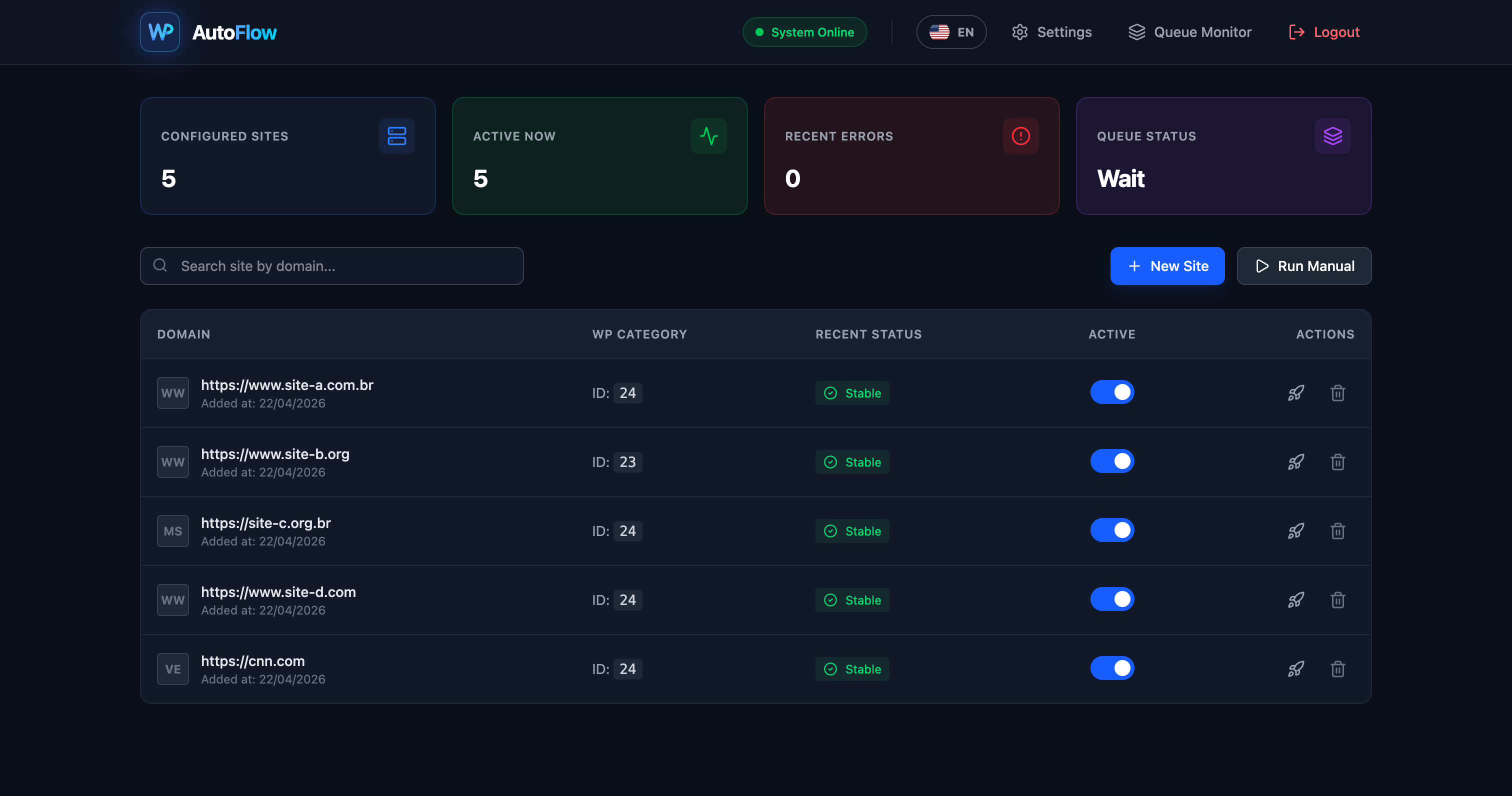
WP AutoFlow screenshot 1

Setup time

A few minutes

Deployment

Your own server

Services

3 connected services

Why WP AutoFlow

Everything you need, running where you choose.

Get the full WP AutoFlow experience with Easypanel handling the repetitive infrastructure work around it.

Advanced Web Scraper
Supports custom selectors, residential proxies, and Scrape.do integration to fetch content from even the most protected websites.
Smart Media Processing
Automatic image downloading, resizing, and watermarking before uploading to the WordPress Media Library.
Instant SEO Indexing
Native integration with IndexNow and SpeedyIndex to notify search engines as soon as your content is published.
AI-Powered Content Creation
Automatically transform scraped data into high-quality, SEO-optimized articles using the latest LLMs while preserving HTML structure.
Mass WordPress Management
Connect and manage multiple WordPress instances via REST API. Publish, update, and index posts in bulk from a single dashboard.
Efficient Task Queuing
Built on Node.js and Redis, it handles thousands of tasks in the background ensuring your main application stays snappy and responsive.
How it works

From template to live app in three steps.

Easypanel turns the template into real services, storage, and domains on the server you already control.

Already have Easypanel? Open your dashboard at the URL or IP of your own installation.

Installation guide
1
Open your dashboard
Visit the URL or IP of your Easypanel installation and choose the target project.
2
Choose WP AutoFlow
Open Templates, select WP AutoFlow, then review its service names and configuration.
3
Deploy and open your app
Easypanel starts every service and provisions an HTTPS domain for you.
Installation options
The template asks for these values before creating your services.
OptionDefaultRequired

App Service Name

wp-autoflowRequired

App Service Image

fabioselau/wp-autoflow:v1.0.0Required

OpenAI API Key

Your secret key for AI rewriting (GPT-5/o3-mini)

Set during installRequired
Resources
Project documentation and source code.
Latest template update
Apr 22, 2026

First Release

Questions

Deploy with confidence.

The template handles the application setup while Easypanel keeps the infrastructure understandable and under your control.

WP AutoFlow logo
Ready to deploy WP AutoFlow?
Open your own Easypanel dashboard, choose WP AutoFlow from Templates, and review the deployment options.