Deploy ZNC on your own server.

ZNC is an IRC bouncer that is designed to stay connected to IRC servers and channels, allowing you to access them at any time.
Your infrastructureAutomatic HTTPSNo lock-in
Screenshots
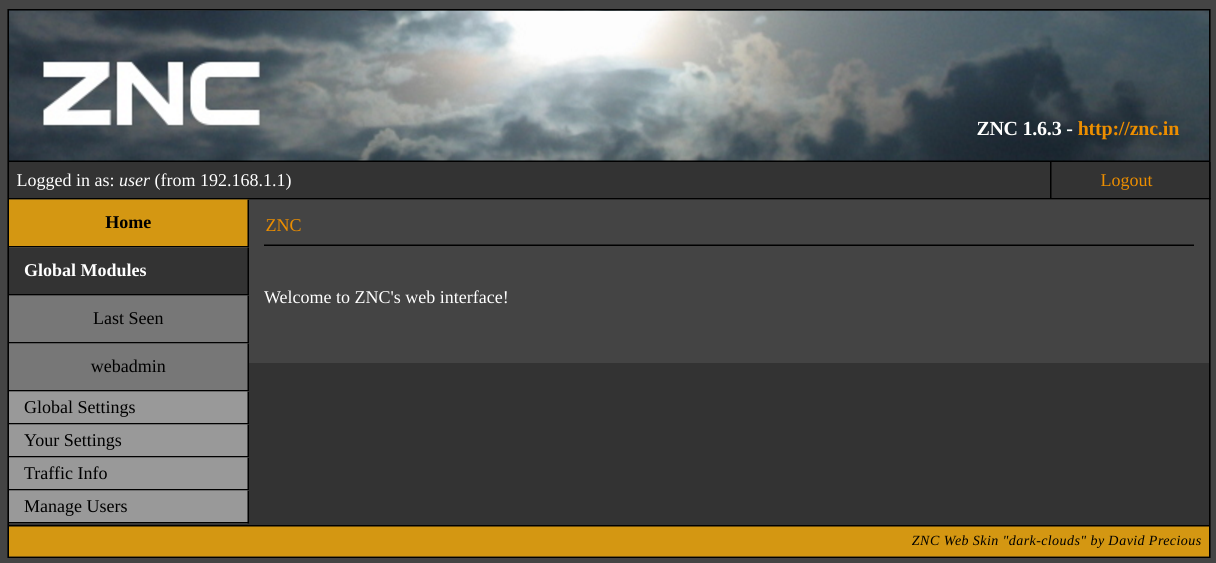
A closer look at ZNC.
Setup time
A few minutes
Deployment
Your own server
Services
1 connected service
Why ZNC
Everything you need, running where you choose.
Get the full ZNC experience with Easypanel handling the repetitive infrastructure work around it.
Detachable Sessions
ZNC allows you to detach and reattach to IRC sessions without losing the session state, similar to screen or tmux for IRC.
Multiple Networks
Connect to multiple IRC networks simultaneously with a single ZNC instance.
Playback Buffers
ZNC stores chat history when you're away, allowing you to catch up on what you missed once you reconnect.
SSL/TLS Support
Secure your connections with SSL/TLS, protecting your privacy and data integrity.
Web Interface
Manage your ZNC settings and configurations through a user-friendly web interface.
Always Connected
ZNC keeps you permanently connected to your favorite IRC channels and servers, ensuring you never miss important messages.
How it works
From template to live app in three steps.
Easypanel turns the template into real services, storage, and domains on the server you already control.
Already have Easypanel? Open your dashboard at the URL or IP of your own installation.
Installation guide1
Open your dashboard
Visit the URL or IP of your Easypanel installation and choose the target project.
2
Choose ZNC
Open Templates, select ZNC, then review its service names and configuration.
3
Deploy and open your app
Easypanel starts every service and provisions an HTTPS domain for you.
Installation options
The template asks for these values before creating your services.
| Option | Default | Required |
|---|---|---|
App Service Name | znc | Required |
App Service Image | lscr.io/linuxserver/znc:1.10.1 | Required |
PUID | 1000 | Required |
PGID | 1000 | Required |
Timezone | Europe/London | Required |
Before you deploy
default login is admin/admin
Resources
Project documentation and source code.
Latest template update
Jul 25, 2025
Version bumped to 1.10.1
Questions
Deploy with confidence.
The template handles the application setup while Easypanel keeps the infrastructure understandable and under your control.
Keep exploring
Browse allRelated templates

The Lounge
Welcome to The Lounge, your self-hosted web IRC client for the 21st century. With modern features such as push notifications, link previews, and file uploads, The Lounge brings IRC into the modern era. Stay connected to IRC servers even when you're offline and resume where you left off on any device, thanks to its responsive interface that works smoothly on every desktop, smartphone, and tablet. The Lounge supports multiple user accounts, allowing you to share your server with friends. It's a free and open-source app, licensed under the MIT license, and works on any OS where Node.js runs. The Lounge offers two modes: private and public. In private mode, it acts like a bouncer and a client combined, offering an experience similar to other modern chat applications. In public mode, it acts as an open chat available to anyone without registration. Enjoy the convenience of a modern, responsive, cross-platform, self-hosted web IRC client with The Lounge.
View template

Botpress
Botpress is a revolutionary platform that allows you to build next-generation chatbots powered by OpenAI. It offers an intuitive visual flow editor to bring your users’ conversations to life. With Botpress, you can create chatbots that are always on brand, thanks to ChatGPT’s copywriting abilities. The platform also provides a range of GPT-first tools and features such as dynamic knowledge ingestion, sentiment analysis, automatic self-improvement, data enhancements, and AI recommendations. Botpress supports 100+ languages, enabling you to launch your chatbot globally. It also offers one-click deployment across various channels. With Botpress, building human-like chatbots has never been this easy.
View template

Element
Element is a secure communications platform designed to protect and strengthen your business critical communications. It offers real-time trusted communication across organizations, giving you the freedom to communicate on your own terms. With Element, you can control your data through its open source and flexible hosting, enabling data sovereignty. The app allows you to structure discussion spaces, customize chat rooms, and share live data through widgets and integrations to boost your productivity. It also provides instant messaging, voice/video calls, location sharing, voting polls and more. Element ensures your data is secure by default, allowing you to focus on getting your work done. You have complete independence to own and control your entire communication platform, configure networks to suit organizational requirements, and strengthen cybersecurity and business continuity plans. Element is led by the creators of Matrix, the decentralized open standard for secure and sovereign real time communication.
View template
Ready to deploy ZNC?
Open your own Easypanel dashboard, choose ZNC from Templates, and review the deployment options.