All templates

Deploy llana on your own server.

llana logo

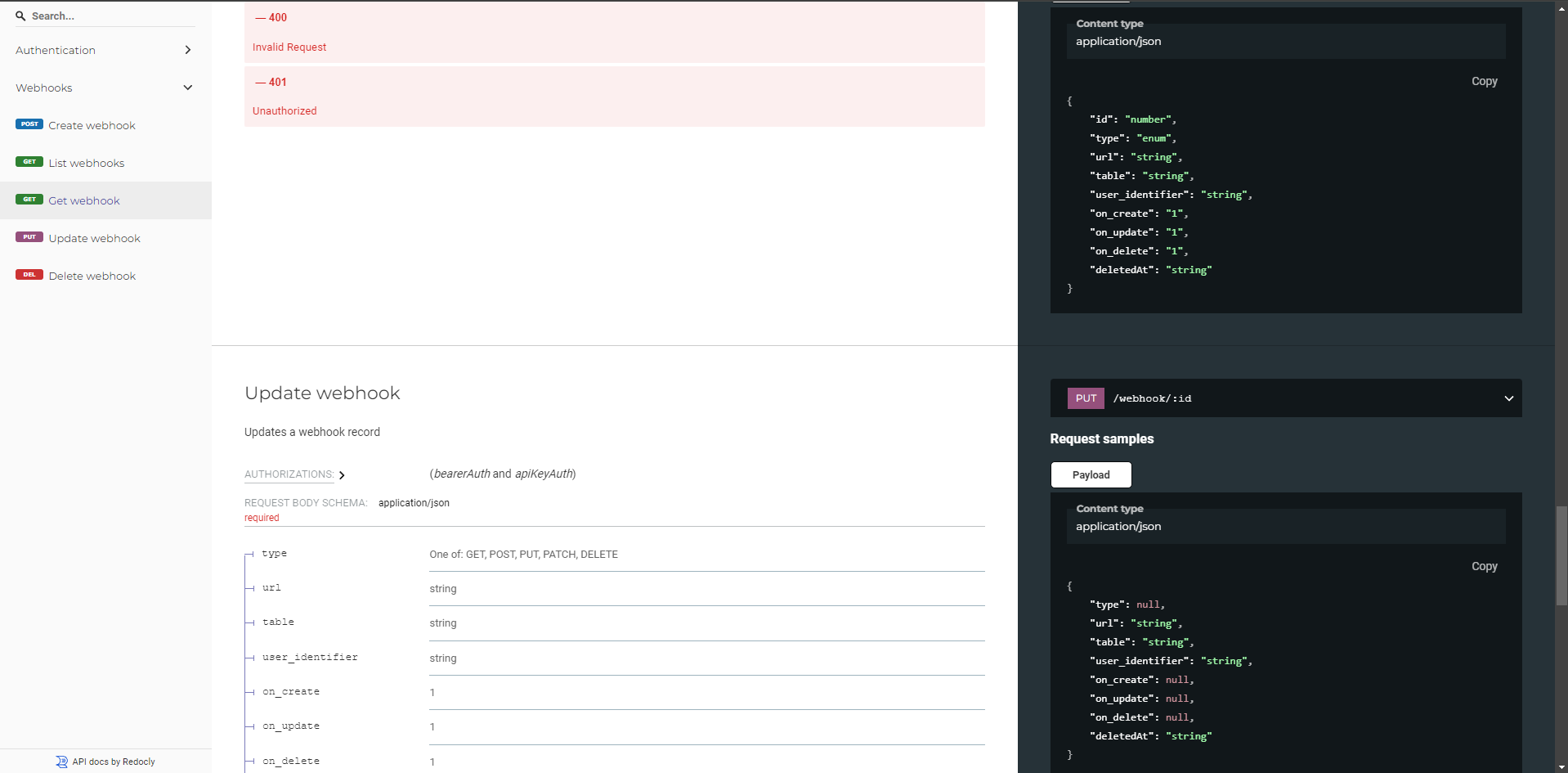
Llana is a lightweight no-code API wrapper that exposes a REST API for any database within minutes. Stop wasting time building endpoints, just connect your database and start playing. Open source, free to use, and no vendor lock-in.

Your infrastructureAutomatic HTTPSNo lock-in

Screenshots

A closer look at llana.

llana screenshot 1

Setup time

A few minutes

Deployment

Your own server

Services

1 connected service

Why llana

Everything you need, running where you choose.

Get the full llana experience with Easypanel handling the repetitive infrastructure work around it.

Instant REST API
Generate REST APIs for any database instantly. Expose endpoints to query, insert, update, and delete records.
Multi-Database Support
Connect to PostgreSQL, MySQL, and other popular databases seamlessly.
Authentication and Security
Secure your API with JWT-based authentication and configurable security rules.
Easy Configuration
Set up Llana with a simple configuration file. No complex coding required.
Vendor Lock-In Free
Run Llana on your own servers or infrastructure without being tied to any platform.
Extendable
Customize and extend Llana to fit your application's needs through open-source contributions.
How it works

From template to live app in three steps.

Easypanel turns the template into real services, storage, and domains on the server you already control.

Already have Easypanel? Open your dashboard at the URL or IP of your own installation.

Installation guide
1
Open your dashboard
Visit the URL or IP of your Easypanel installation and choose the target project.
2
Choose llana
Open Templates, select llana, then review its service names and configuration.
3
Deploy and open your app
Easypanel starts every service and provisions an HTTPS domain for you.
Installation options
The template asks for these values before creating your services.
OptionDefaultRequired

Application Service Name

llanaRequired

Application Service Image

juicyllama/llana:v1.32Required

Database Type

PostgreSQL / MySQLRequired

Database Hostname

Required

Database Username

Required

Database Password

Set during installRequired

Database Port

Required

Database Name

Required

JWT Secret

Provide a 32-character long JWT secret.

Set during installRequired
Resources
Project documentation and source code.
Latest template update
Jul 22, 2025

Version bumped to v1.32

Questions

Deploy with confidence.

The template handles the application setup while Easypanel keeps the infrastructure understandable and under your control.

Keep exploring

Related templates

Browse all
Convex logo
Convex
Convex is the open-source reactive database and backend platform designed for modern app developers. It provides real-time data synchronization, TypeScript-first development, and built-in features like authentication, file storage, and serverless functions. The self-hosted version includes the main backend service, dashboard for data management, and PostgreSQL database support. Perfect for building full-stack applications with automatic caching, real-time updates, and strong consistency guarantees.
View template
Firebird logo
Firebird
Firebird is a powerful, open-source relational database management system (RDBMS) that offers high performance, scalability, and SQL compliance. It is designed for both small and large-scale applications, providing robust multi-user support, stored procedures, triggers, and full ACID compliance. Firebird is lightweight, requiring minimal configuration while delivering strong reliability and security. It supports multiple authentication methods and integrates seamlessly with various programming languages and frameworks. With its containerized deployment, Firebird ensures easy scalability and simplified management.
View template
Tooljet logo
Tooljet
Tooljet is an open-source low-code platform for building internal tools and business applications. It provides a visual interface builder, database connectors, API integrations, and workflow automation capabilities. With Tooljet, teams can quickly build custom dashboards, admin panels, CRUD applications, and complex business tools without extensive coding. The platform supports multiple data sources, real-time collaboration, and enterprise-grade security features.
View template
llana logo
Ready to deploy llana?
Open your own Easypanel dashboard, choose llana from Templates, and review the deployment options.